

Screencastify - Screen Video Recorder
ProductivityFree
Used by 15M+ people. An easy-to-use screen recorder for your browser. Capture, edit and share videos in seconds.
3.911,700 reviews6M+
View Extension
Take Notes From Youtube
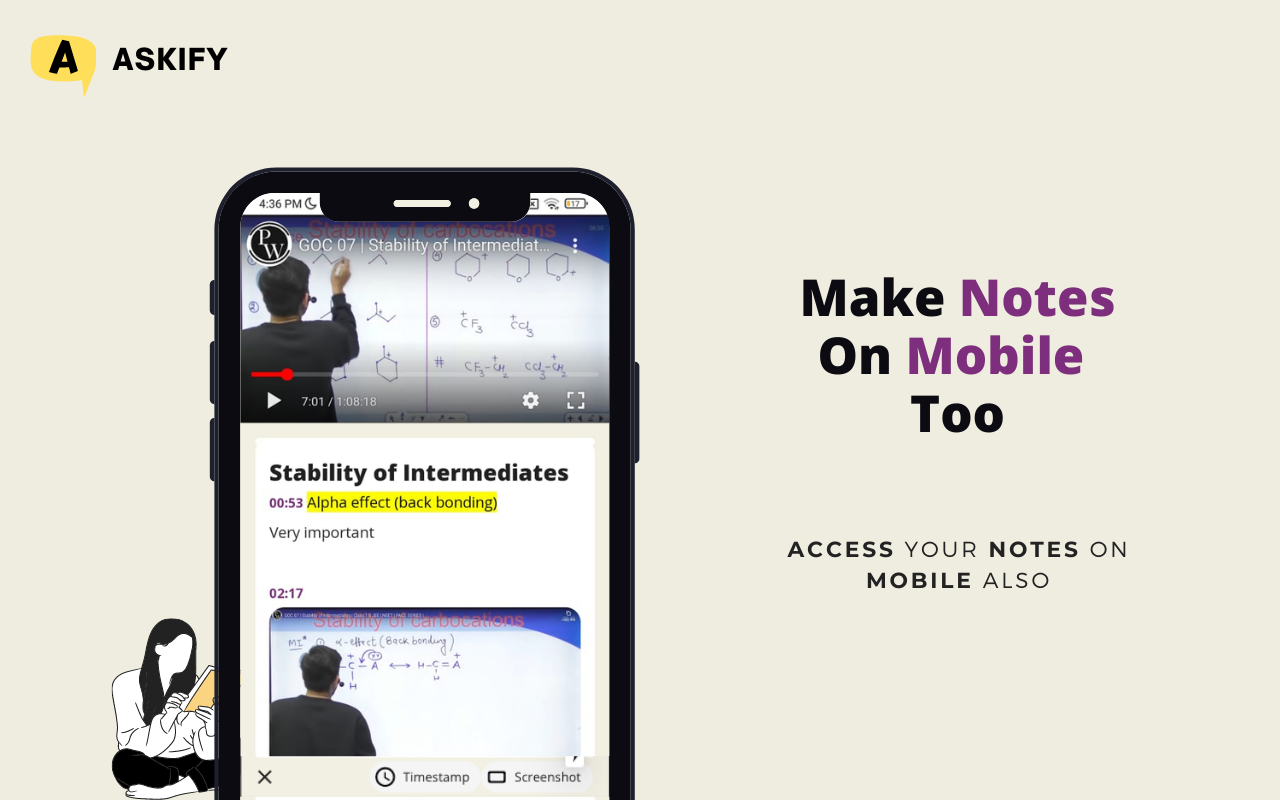
Take Notes and screenshot from YouTube, Udemy wiki and every website in just One Click. ****** UPDATE ****** ★ Works in Fullscreen ★ Change Auto-Snap and Auto-Notes interval Settings ★ New Floating Editor Mode ★ New Shortcuts added ★ Transparency Mode — Make your editor transparent ★ Auto Snap — Automatically takes screenshot, in just a minute or two your notes are ready ★ Image To Text — Now see already made notes from different people ★ All Website — Take Screenshot on every website wikipedia, Udemy and more ****** END****** Askify is #1 Youtube Note taking App Include High quality Screenshots, Timestamps and subtitles and boost your note taking ability In addition, it offers more features like High quality screenshot even if you are viewing video in low quality. Askify for Chrome works directly in Youtube, Just install and forget Enhance your Note taking skills for business correspondence, academic documents and social writing. ★ Screenshot — Take screenshot at any time. Screenshot will always be of high quality even if you are viewing video in data saver mode. ★ Write/Crop — You can write on screenshot and crop it however you like. ★ Time-Stamp —Insert timestamp any time you want, just click on timestamp button to take it. ★ AutoNotes — Take automatic notes with timestamp in just one click. ★ Markdown & Shortcuts — Take lightning fast notes without leaving keyboard. ★ App, Mobile and Desktop — Askify is available in App(Android), Mobile and Desktop, Sync across all devices. ★ Organise, Save and Reflect — Organise your notes, save and reflect upon it. ★ Export — Export to PDF, Markdown and share your notes with anyone -------------------- Important Note: -------------------- Askify respects user privacy and our terms of use do not require additional security permissions. ----------------------------------------------- Enjoy Askify everywhere you write! ----------------------------------------------- Askify is available on Chrome, Android mobile devices and iPhones. Download Askify for free at https://askify.video -------------------------------------------------- More Features -------------------------------------------------- ★ Dictation — No need to type just speak and it's done.(Hindi +8 languages) ★ Insert Custom Image — Just paste/insert image from anywhere inside editor ★ Make multiple notes of same video or continue same notes in multiple videos ★ Drag and Collapse — Drag editor all around the website also collapse and expand as you see fit.
Askify - Youtube Notes is free. There is no paid tier to consider.
Used by 15M+ people. An easy-to-use screen recorder for your browser. Capture, edit and share videos in seconds.

Tampermonkey lets you install and run userscripts to customize websites, automate repetitive tasks and enhance functionality.

LastPass is an award-winning password manager for secure credential management on any device.

The simplest and most reliable volume booster 🚀 Features ⭐️ Up to 600 % volume boost ⭐️ Control volume of any tab ⭐️ Voice boost -.

Found a webpage, image, or quote that you want to save for later? With the Google Keep Chrome Extension, easily save the things yo.

Browsec VPN is a Chrome VPN extension that protects your IP from Internet threats and lets you browse privately for free.
Yes, Askify - Youtube Notes is free to use.
Askify - Youtube Notes is published by Sumeru Software Solutions Private Limited. As with any extension, review the permissions it requests before installing and remove it if you stop using it.
Browse the Productivity category for comparable options.
Picked from the Productivity category and the tags askify, youtube, notes — jump straight to the alternatives and head-to-head pages people open next.
Side-by-side feature tables, pricing and a clear recommendation.