

Adblock for Youtube™
Music & AudioFree
✓ Permissions: like common ad-blocking extensions we do need default permissions on every website to remove ads or popups for exam.
4.4380,500 reviews10M+
View Extension
To use, type 'ms' plus keyword for custom search engines & search term into the url bar. (e.g. ms google <search text>).
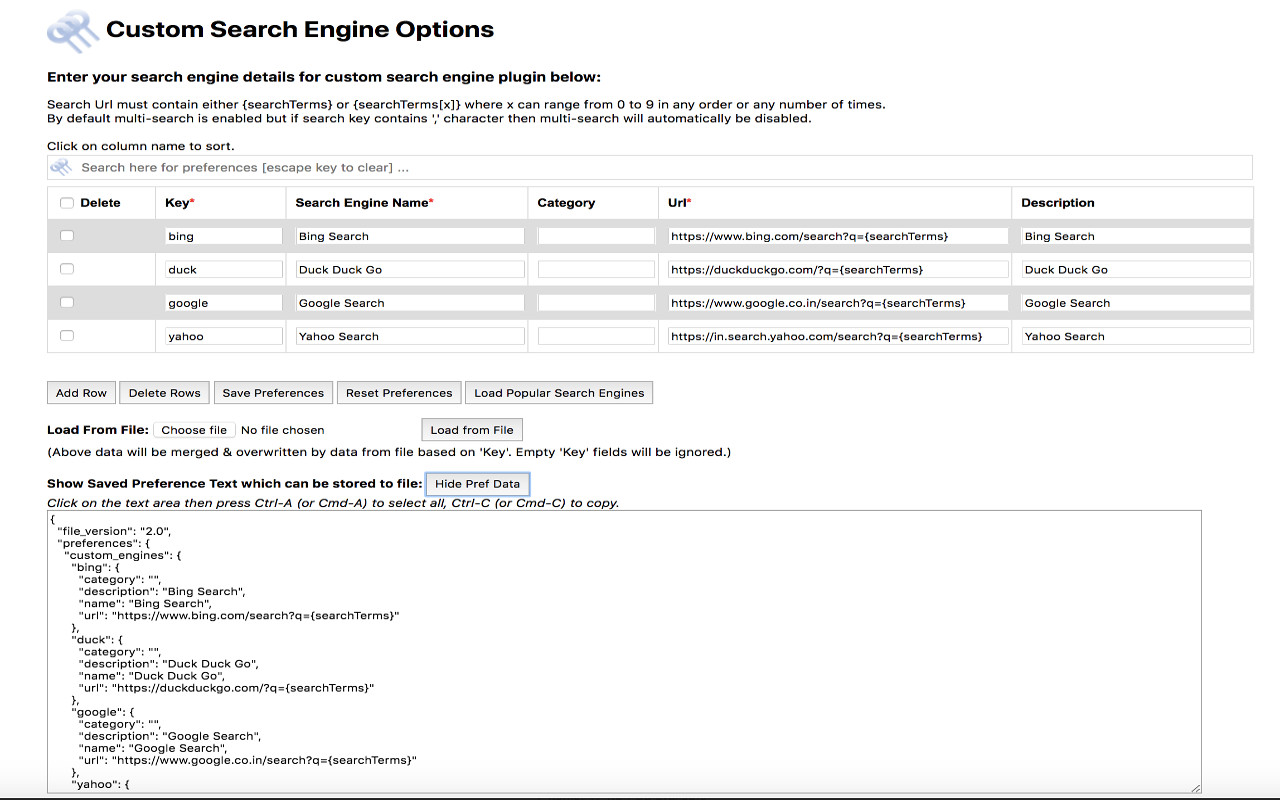
# Description: ----------------- This add-on allows users to define their own custom search engines and use it from address bar of the browser. You can save the custom engine details to a file and also load it from there. It allows easy sharing of custom defined engines too. You can also make use of multiple search engines in one go. To use multi-search feature type "ms key1,key2,key3 <text>". For detailed information please review information at home page/support page url (due to a chrome store policy needed to truncate the description) - https://rsins.github.io/ravi-firefox-custom-search-engines/custom-search-browser-add-on-readme # Permissions Required: ------------------------ * storage - Save and load Preferences * raw.githubusercontent.com - Load "popular search engines" from https://raw.githubusercontent.com/rsins/ravi-firefox-custom-search-engines/master/SampleCustomEngines/PopularSearchEngines.txt
Custom Search Engine is free. There is no paid tier to consider.
✓ Permissions: like common ad-blocking extensions we do need default permissions on every website to remove ads or popups for exam.

VeePN is a VPN extension that unblocks websites and secures your connection with encrypted tunneling and unlimited bandwidth.

The simplest and most reliable volume booster 🚀 Features ⭐️ Up to 600 % volume boost ⭐️ Control volume of any tab ⭐️ Voice boost -.

Schedule Zoom meetings directly from Google Calendar

Tampermonkey lets you install and run userscripts to customize websites, automate repetitive tasks and enhance functionality.

Avira Password Manager saves, manages, and syncs all your passwords across all your devices.
Yes, Custom Search Engine is free to use.
Custom Search Engine is published by Custom Search Engine. As with any extension, review the permissions it requests before installing and remove it if you stop using it.
Browse the Music & Audio category for comparable options.
Picked from the Music & Audio category and the tags custom, search, engine — jump straight to the alternatives and head-to-head pages people open next.
Side-by-side feature tables, pricing and a clear recommendation.