

1Password – Password Manager
Music & AudioFreemium
The best way to experience 1Password in your browser. Easily sign in to sites, generate passwords, and store secure information.
2.92,800 reviews6M+
View Extension
Securely save your Gmail™ and Google Drive™ content in M-Files with just one click
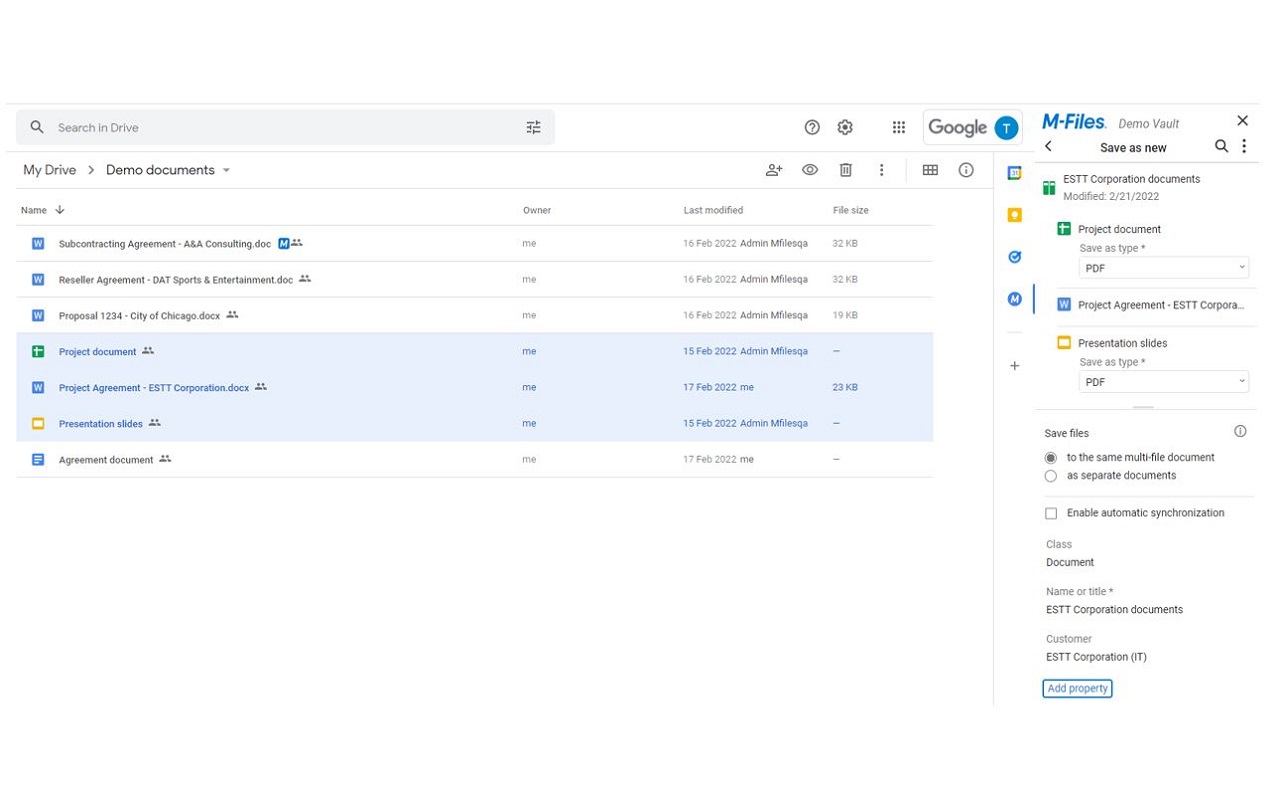
M-Files for Google Workspace™ allows you to bring all your content together into one common view, providing an easy and more controlled way of managing content. You can easily save emails and documents from Gmail™ and Google Drive™ to M-Files, with just one click. M-Files for Google Workspace™ allows you to: - Save Workspace™ content in a secure system of records, in the cloud, or on premises - Save key emails and attachments in M-Files to share them with the team - View Gmail™, business data and related content in one view - Break down silos between Workspace™ applications and other systems and applications with one access point to all information - Use metadata to classify and tag content efficiently - Use automated workflows to support business processes - Save PDF or office document renditions of native Google™ apps - Keep Workspace™ content automatically updated in M-Files - Collaborate on the same document in M-Files & in Google Drive™ simultaneously Release Notes: https://product.m-files.com/release-notes/#product=227&releaseTypes=1
M-Files for Google Workspace™ is free. There is no paid tier to consider.
The best way to experience 1Password in your browser. Easily sign in to sites, generate passwords, and store secure information.

Browsec VPN is a Chrome VPN extension that protects your IP from Internet threats and lets you browse privately for free.

Chrome Remote Desktop extension

Schedule Zoom meetings directly from Google Calendar

Tampermonkey lets you install and run userscripts to customize websites, automate repetitive tasks and enhance functionality.

Your surfing made private and secure
Yes, M-Files for Google Workspace™ is free to use.
M-Files for Google Workspace™ is published by M-Files Corporation. As with any extension, review the permissions it requests before installing and remove it if you stop using it.
Browse the Music & Audio category for comparable options.
Picked from the Music & Audio category and the tags files, google, workspace — jump straight to the alternatives and head-to-head pages people open next.
Side-by-side feature tables, pricing and a clear recommendation.