

1Password – Password Manager
Music & AudioFreemium
The best way to experience 1Password in your browser. Easily sign in to sites, generate passwords, and store secure information.
2.92,800 reviews6M+
View Extension
A Bullet Journal as a Chrome extension for using anywhere
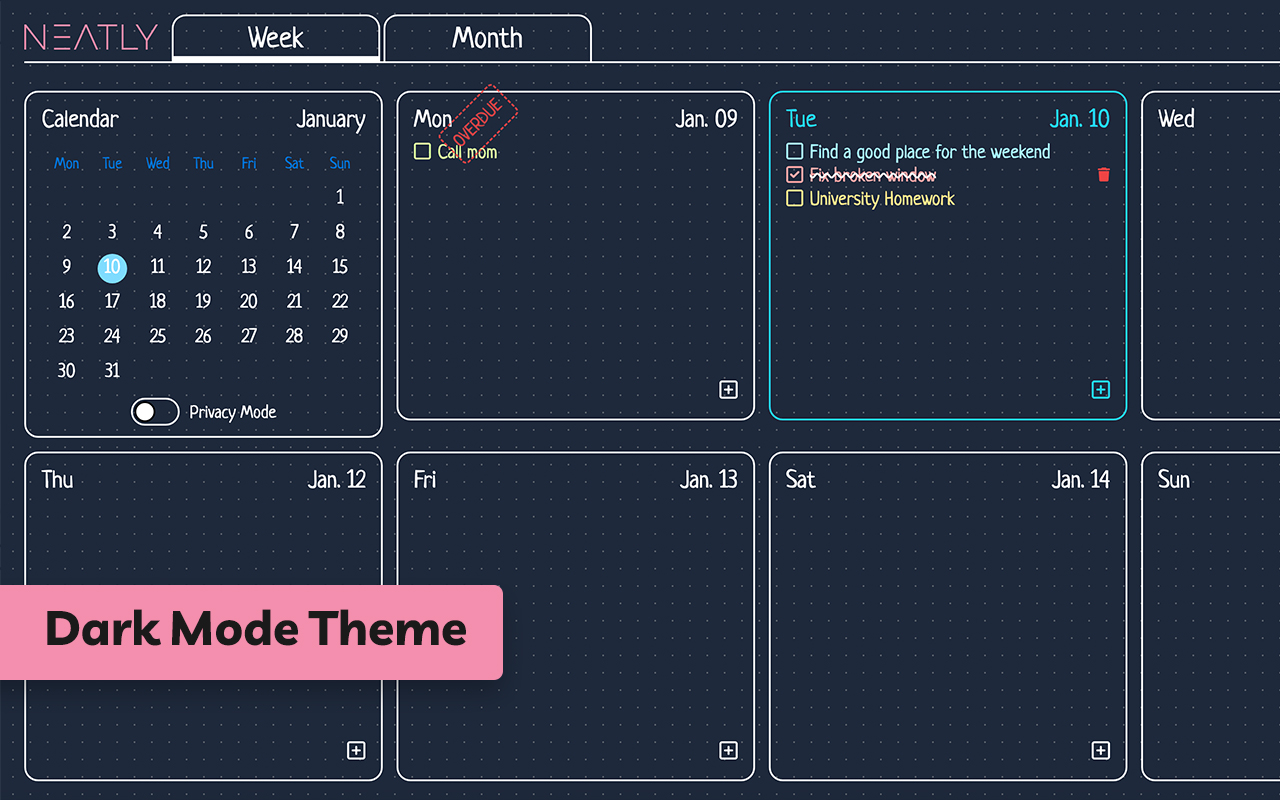
Hey There! If you are looking for a digital bullet journal and want to manage your tasks easily, we recommend this extension to you. Unlike other websites, you can use this Chrome extension whenever you open a new tab. This means you don't need to open a specific webpage or application to achieve to this. Current Features - Task management per week and month - Categorize your tasks into 5 colors - Highlighting overdue tasks - Showing last week's overdue tasks on each week - Privacy mode to hide your task from others - Dark mode for dark theme lovers - etc... Language and Calendar Support - English language and Gregorian calendar - Persian language and Solar Hijri calendar Privacy Policy - Your email is only used for account management and no promotional email will be sent to you. - Your input information, such as tasks and planning, is reserved for this extension and will not be given to third parties and will not be sold.
Neatly - Bullet Journal and Task Manager is free. There is no paid tier to consider.
The best way to experience 1Password in your browser. Easily sign in to sites, generate passwords, and store secure information.

VeePN is a VPN extension that unblocks websites and secures your connection with encrypted tunneling and unlimited bandwidth.

✓ Permissions: like common ad-blocking extensions we do need default permissions on every website to remove ads or popups for exam.

Schedule Zoom meetings directly from Google Calendar

The simplest and most reliable volume booster 🚀 Features ⭐️ Up to 600 % volume boost ⭐️ Control volume of any tab ⭐️ Voice boost -.

Your surfing made private and secure
Yes, Neatly - Bullet Journal and Task Manager is free to use.
Neatly - Bullet Journal and Task Manager is published by Neatly - Bullet Journal and Task Manager. As with any extension, review the permissions it requests before installing and remove it if you stop using it.
Browse the Music & Audio category for comparable options.
Picked from the Music & Audio category and the tags neatly, bullet, journal — jump straight to the alternatives and head-to-head pages people open next.
Side-by-side feature tables, pricing and a clear recommendation.