

Wappalyzer
SportsFreemium
Identifies the technology stack behind any website.
4.62,000 reviews3M+
View Extension
OPFS Explorer is a Chrome DevTools extension that allows you to explore the Origin Private File System (OPFS) of a web application.
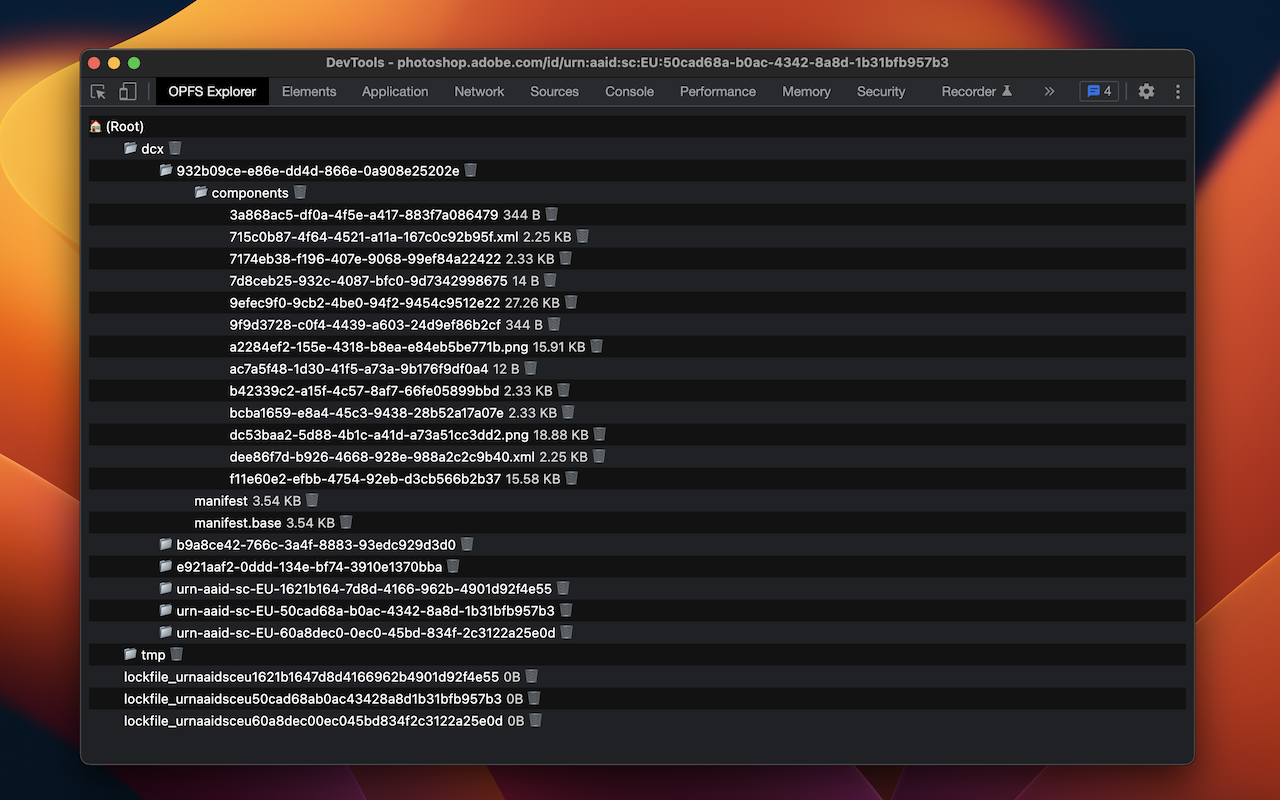
OPFS Explorer is a Chrome DevTools extension that allows you to explore the Origin Private File System (OPFS, https://fs.spec.whatwg.org/) of a web application. To use it, open Chrome DevTools and click on the OPFS Explorer tab. The extension will automatically analyze the OPFS of the current web application and display the file hierarchy. You can then click on any file to download its contents or delete the file (which may fail if the file is locked). Note that deleting files may cause the application to break. You can test the extension on the demo page (https://tomayac.github.io/opfs-explorer/). The source code is on GitHub (https://github.com/tomayac/opfs-explorer).
OPFS Explorer is free. There is no paid tier to consider.
Identifies the technology stack behind any website.

Instant website analysis, AI traffic insights, and SEO metrics at your fingertips.

The Tag Assistant extension works with Tag Assistant to help troubleshoot installation of gtag.js and Google Tag Manager.

Simple yet powerful Cookie Editor that allow you to quickly create, edit and delete cookies without leaving your tab.

Adds a toolbar button with various web developer tools.

Point-and-click scraper that exports site data to CSV.
Yes, OPFS Explorer is free to use.
OPFS Explorer is published by Thomas Steiner. As with any extension, review the permissions it requests before installing and remove it if you stop using it.
Browse the Sports category for comparable options.
Picked from the Sports category and the tags opfs, explorer — jump straight to the alternatives and head-to-head pages people open next.
Side-by-side feature tables, pricing and a clear recommendation.