Photo editor PhotoStudio for images Chrome extension logo

Photo editor PhotoStudio for images

PhotoStudio to create and edit photos and images online

3.6173 reviews~40K+ usersDesignBy Europe Avenue, S/N Pozuelo 28224 Spain
Free
Updated 2026-09-01

Photo editor PhotoStudio for images screenshots

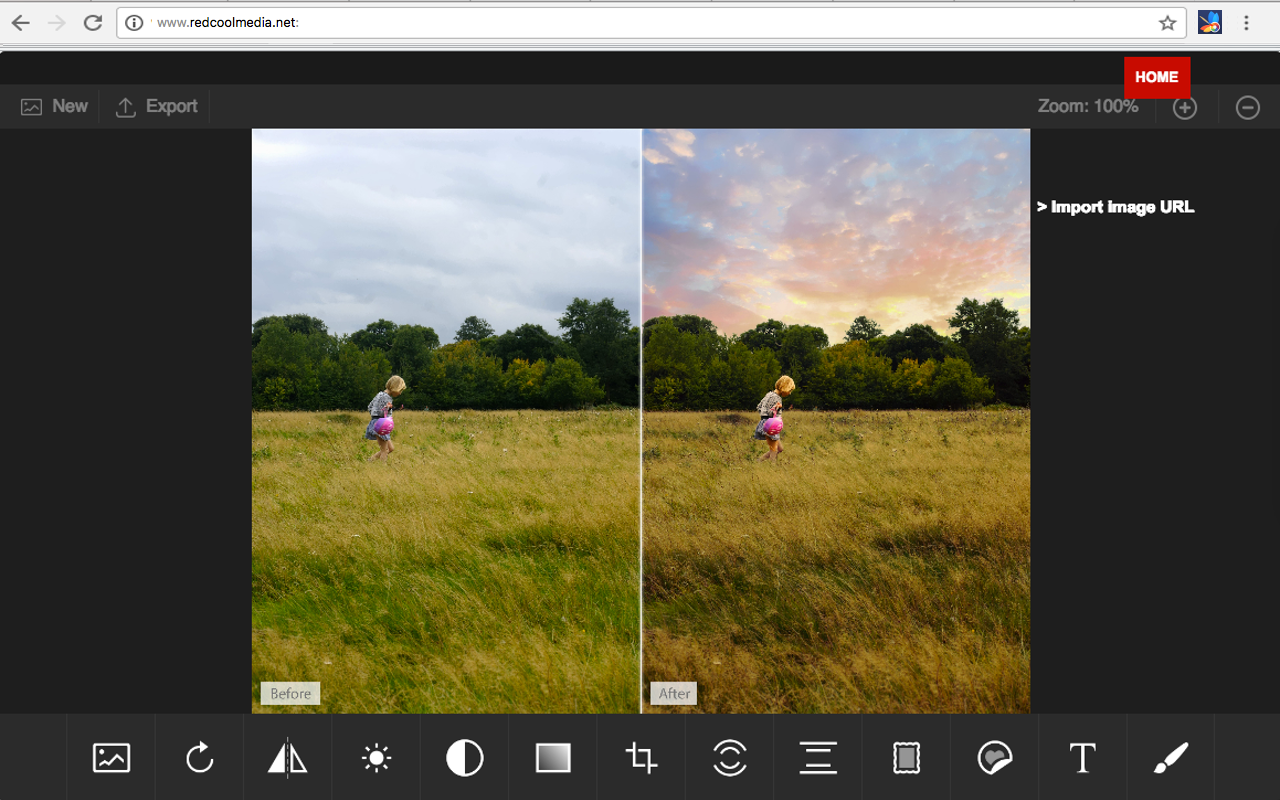
Photo editor PhotoStudio for images Chrome extension screenshot 1
Screenshots from the Chrome Web Store listing for Photo editor PhotoStudio for images.

Overview

PhotoStudio is a photo editor to modify any image, use your camera to take pictures, import them, and edit any kind of images and graphics. It provides a flexible area with a multitude of photo editing features, effects and filters. Moreover, it scans and collects the webpages you browse in the Internet. These webpages are uploaded to our servers in order to know if they contain image files that can be edited using our extension integrated with our online app. Its main features are: - Take pictures from your PC or laptop camera. - Import pictures to modify them. - Filters, which determine the atmosphere of pictures and help convey the right message for your creative. - Custom filters, that can be created by anyone using LUTs (Lookup Tables) from popular apps like Photoshop, GIMP or Lightroom. - Overlays, which can be used to create neat lighting effects such as lens flare, bokeh or light leaks. It can also be used to furnish pictures with textures like crumpled paper or plaster. - Adjustments like brightness, contrast or clarity so that users can tune their images and graphics to produce stunning creatives. - Transform effects like cropping, flipping and rotation operations. - Allow to quickly add text to any picture or creative. The corresponding font library can easily be exchanged, reduced, or expanded. - Provide Stickers. - Brush, which is optimized for touch screen interaction and supports different brush strokes that can be edited in terms of thickness and color. - Download or share the pictures modified. PhotoStudio is an adaptation of the IMGLY PhotoEditor to the RedcoolMedia platform. It is open source.

Pros

  • Lightweight and fast — doesn't slow down your browser
  • Simple to set up with an intuitive interface
  • Free to use with regular updates
  • Works in the background without getting in the way

Cons

  • Requires extra browser permissions to work fully
  • Advanced settings can take time to learn

Who should use Photo editor PhotoStudio for images?

Pricing

Photo editor PhotoStudio for images is free. There is no paid tier to consider.

Similar extensions

Web Paint - Page Marker & Editor Chrome extension logo

Web Paint - Page Marker & Editor

Design
Free

Draw shapes, paint lines, paint curves, add text on pages in real time. Take screenshot or print it. Paint Online.

4.51,700 reviews400K+
View Extension
Zoom Video - UltraWide Fill Chrome extension logo

Zoom Video - UltraWide Fill

Design
Free

Zoom video, change aspect ratio of any video, removing black bars on Netflix, Amazon Prime, YouTube, HBO. Ultrawide video.

4.52,600 reviews400K+
View Extension
Dark Mode - Night Eye Chrome extension logo

Dark Mode - Night Eye

Design
Freemium

Dark Mode: Switch to dark reading for night & day browsing. More than dark theme style, it ensures optimal eye protection.

4.53,300 reviews300K+
View Extension
Ui.Vision Chrome extension logo

Ui.Vision

Design
Free

Task and UI test automation with Computer Vision/OCR. Ui.Vision combines browser automation and desktop automation.

3.9239 reviews200K+
View Extension
Earth View from Google Earth Chrome extension logo

Earth View from Google Earth

Design
Free

Experience a beautiful image from Google Earth every time you open a new tab.

4.25,200 reviews600K+
View Extension
WhatFont Chrome extension logo

WhatFont

Design
Free

Identify the fonts used on any web page.

4.02,100 reviews3M+
View Extension

Frequently asked questions

Is Photo editor PhotoStudio for images free?

Yes, Photo editor PhotoStudio for images is free to use.

Is Photo editor PhotoStudio for images safe to install?

Photo editor PhotoStudio for images is published by Europe Avenue, S/N Pozuelo 28224 Spain. As with any extension, review the permissions it requests before installing and remove it if you stop using it.

What are the best Photo editor PhotoStudio for images alternatives?

Browse the Design category for comparable options.

Related extensions to Photo editor PhotoStudio for images

Picked from the Design category and the tags photo, editor, photostudio — jump straight to the alternatives and head-to-head pages people open next.

Compare Photo editor PhotoStudio for images with the obvious rivals

Side-by-side feature tables, pricing and a clear recommendation.

Shortlists that include this category

Best Productivity Chrome ExtensionsThe 10 best productivity Chrome extensions in 2026, ranked with live store ratings and install counts. Includes what each is best for and the permissions to check.Best AI Chrome ExtensionsThe best AI Chrome extensions for writing, research and productivity — Monica, Merlin, ChatGPT for Google and more, ranked by usefulness.Best SEO Chrome ExtensionsThe best SEO extensions for Chrome — Ahrefs, MozBar, SEOquake and more, ranked by metrics, audits and ease of use.Best Privacy Chrome ExtensionsThe 9 privacy Chrome extensions worth installing in 2026 — ad blocking, tracker blocking and password vaults, with live store ratings and permission warnings.Best Tab Manager Chrome ExtensionsThe 7 best Chrome tab managers in 2026, compared: collapse tabs to free memory or save restorable workspaces. Live store ratings, install counts and trade-offs.Best Free Chrome Extensions12 genuinely free Chrome extensions — no trial, no locked core feature. Live store ratings and install counts, plus the permissions to check before installing.Best Password Manager Chrome ExtensionsThe best password manager extensions for Chrome in 2026 — Bitwarden, LastPass, 1Password and more, ranked by security, free tier and sync.Best Ad Blocker Chrome ExtensionsThe best ad blockers for Chrome in 2026 — uBlock Origin, Adblock Plus, AdGuard and Ghostery compared on blocking power, memory use and privacy.Best Tab Manager Chrome ExtensionsTame tab overload with the best tab manager extensions for Chrome — OneTab, Toby, Session Buddy and more, ranked by memory savings and organization.Best Screenshot Chrome ExtensionsThe best screenshot extensions for Chrome — GoFullPage, FireShot, Awesome Screenshot and more for full-page captures, annotation and recording.Best VPN Chrome ExtensionsThe best VPN extensions for Chrome — VeePN, Browsec, CyberGhost and more, ranked by speed, privacy and free tier.Best Bookmark Manager Chrome ExtensionsOrganize your links with the best bookmark manager extensions — Raindrop.io, Pocket, Google Keep and more, ranked by features.Best Note Taking Chrome ExtensionsCapture ideas fast with the best note-taking Chrome extensions — Notion, Evernote, Google Keep and Obsidian tools.Best Reading Chrome ExtensionsRead faster and cleaner with the best reading extensions — Reader View, Read Aloud, Pocket and more.Best Focus & Productivity Chrome ExtensionsBlock distractions and get more done with the best focus extensions — StayFocusd, Forest, OneTab and more.Best Screen Capture Chrome ExtensionsCapture screenshots and record your screen with the best Chrome extensions — FireShot, Screencastify and more.Best Privacy & Security Chrome ExtensionsProtect your privacy with the best Chrome extensions — ad blockers, tracker blockers and password vaults, ranked.Best Writing Chrome ExtensionsWrite better everywhere with the best writing extensions — Grammarly, LanguageTool, Text Blaze and more.Best Developer Chrome ExtensionsEssential Chrome extensions for developers — JSON tools, Markdown viewers, web scrapers and more.