Search all Tabs Chrome extension logo

Search all Tabs

A powerful offline indexing and searching tool to find matching terms in tab's title and content

4.665 reviews~10K+ usersTab ManagementBy Search all Tabs
Free
Updated 2026-09-02

Search all Tabs screenshots

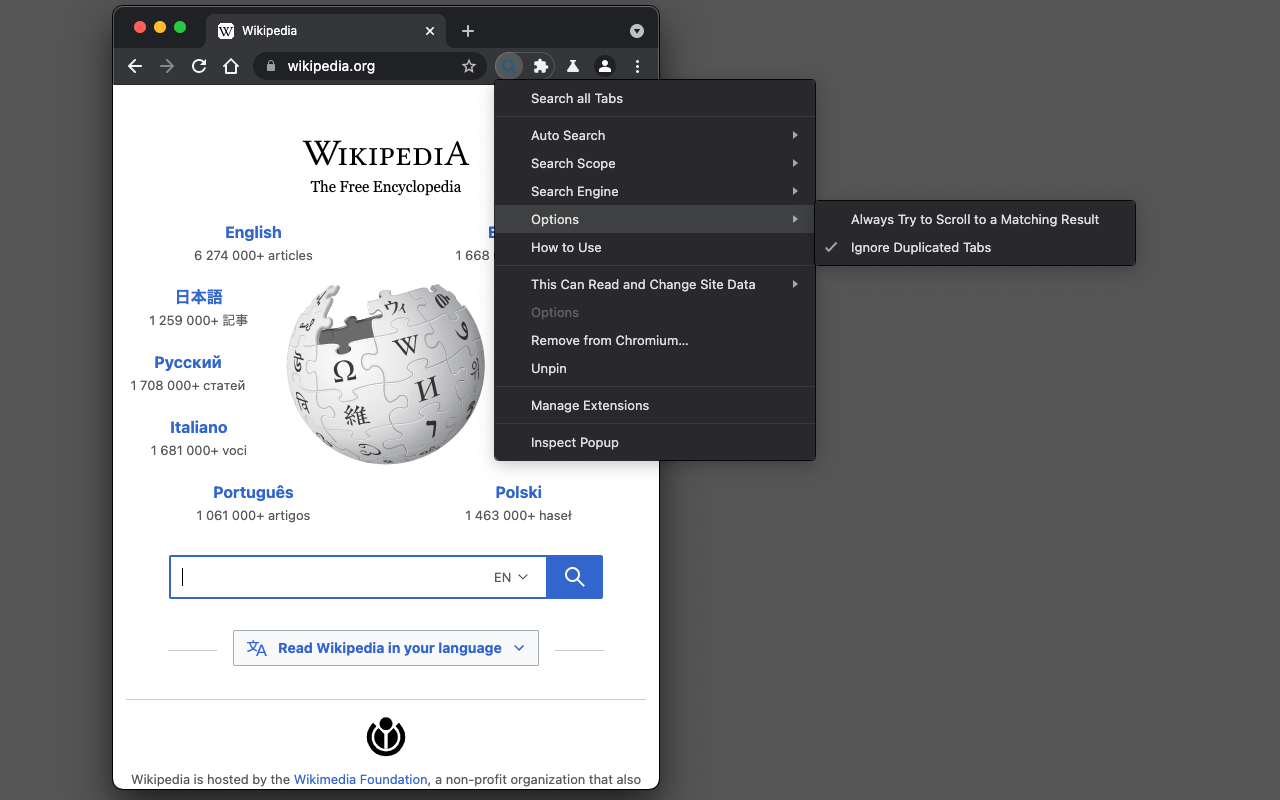
Search all Tabs Chrome extension screenshot 1
Screenshots from the Chrome Web Store listing for Search all Tabs.

Overview

Preview: https://www.youtube.com/watch?v=ks0PDxFBrA0 This extension provides a powerful content searching tool for you to easily find the relevant tab among many open ones. Like all search engines, this extension supports search operators like "AND" and "OR". You can use this extension to find the relevant content when there are many open tabs like a normal tab manager extension. It is also possible to index local files as well. This extension supports parsing content from around 30 languages and displays a preview (snippet) for the matching result. You can click on each search entry to directly activate the container tab. Notes: 1. Make sure to read the FAQs page to get yourself familiar with the search operators and keywords. 2. This extension works offline and stores the indexing database in your browser memory. There is no server-side interaction whatsoever. 3. This extension supports two different indexing engines: Xapian (a C++ engine) and Lunr (a pure JavaScript engine). Features: 1. Copy all URLs to the user's clipboard 2. Group all matched tab as a new window 3. Keyboard-only controls 4. Supports dark theme 5. Do not search on duplicated tabs 6. Search inside PDF tabs 7. Supports deep search: display more matching snippets for a single tab 8. Close the selected tabs from the search results

Pros

  • Lightweight and fast — doesn't slow down your browser
  • Simple to set up with an intuitive interface
  • Free to use with regular updates
  • Works in the background without getting in the way

Cons

  • Requires extra browser permissions to work fully
  • Advanced settings can take time to learn

Who should use Search all Tabs?

Pricing

Search all Tabs is free. There is no paid tier to consider.

Similar extensions

OneTab Chrome extension logo

OneTab

Tab Management
Free

Collapse all open tabs into a single tidy list and reclaim memory.

4.414,600 reviews2M+
View Extension
Infinity New Tab Chrome extension logo

Infinity New Tab

Tab Management
Free

Infinity New Tab allows you to customize your New Tab page

4.611,800 reviews400K+
View Extension
Tab Manager Plus for Chrome Chrome extension logo

Tab Manager Plus for Chrome

Tab Management
Free

Quickly find open tabs, see all windows in one view, find duplicates and limit tabs per window. The best Tab Manager for Chrome.

4.71,100 reviews200K+
View Extension
Auto Tab Discard (suspend) Chrome extension logo

Auto Tab Discard (suspend)

Tab Management
Free

Increase browser speed and reduce memory load when you have numerous open tabs.

4.2386 reviews200K+
View Extension
Speed Dial [FVD] - New Tab Page, 3D, Sync... Chrome extension logo

Speed Dial [FVD] - New Tab Page, 3D, Sync...

Tab Management
Free

New Tab Page Replacement with 3D Speed Dial and predefined images, sync and organize your bookmarks, groups, and most visited

4.7117,800 reviews400K+
View Extension
Raindrop.io Chrome extension logo

Raindrop.io

Tab Management
Freemium

Visual bookmark manager that replaces messy tab hoarding.

4.1781 reviews400K+
View Extension

Frequently asked questions

Is Search all Tabs free?

Yes, Search all Tabs is free to use.

Is Search all Tabs safe to install?

Search all Tabs is published by Search all Tabs. As with any extension, review the permissions it requests before installing and remove it if you stop using it.

What are the best Search all Tabs alternatives?

Browse the Tab Management category for comparable options.

Related extensions to Search all Tabs

Picked from the Tab Management category and the tags search, tabs — jump straight to the alternatives and head-to-head pages people open next.

Compare Search all Tabs with the obvious rivals

Side-by-side feature tables, pricing and a clear recommendation.

Shortlists that include this category

Best Productivity Chrome ExtensionsThe 10 best productivity Chrome extensions in 2026, ranked with live store ratings and install counts. Includes what each is best for and the permissions to check.Best AI Chrome ExtensionsThe best AI Chrome extensions for writing, research and productivity — Monica, Merlin, ChatGPT for Google and more, ranked by usefulness.Best SEO Chrome ExtensionsThe best SEO extensions for Chrome — Ahrefs, MozBar, SEOquake and more, ranked by metrics, audits and ease of use.Best Privacy Chrome ExtensionsThe 9 privacy Chrome extensions worth installing in 2026 — ad blocking, tracker blocking and password vaults, with live store ratings and permission warnings.Best Tab Manager Chrome ExtensionsThe 7 best Chrome tab managers in 2026, compared: collapse tabs to free memory or save restorable workspaces. Live store ratings, install counts and trade-offs.Best Free Chrome Extensions12 genuinely free Chrome extensions — no trial, no locked core feature. Live store ratings and install counts, plus the permissions to check before installing.Best Password Manager Chrome ExtensionsThe best password manager extensions for Chrome in 2026 — Bitwarden, LastPass, 1Password and more, ranked by security, free tier and sync.Best Ad Blocker Chrome ExtensionsThe best ad blockers for Chrome in 2026 — uBlock Origin, Adblock Plus, AdGuard and Ghostery compared on blocking power, memory use and privacy.Best Tab Manager Chrome ExtensionsTame tab overload with the best tab manager extensions for Chrome — OneTab, Toby, Session Buddy and more, ranked by memory savings and organization.Best Screenshot Chrome ExtensionsThe best screenshot extensions for Chrome — GoFullPage, FireShot, Awesome Screenshot and more for full-page captures, annotation and recording.Best VPN Chrome ExtensionsThe best VPN extensions for Chrome — VeePN, Browsec, CyberGhost and more, ranked by speed, privacy and free tier.Best Bookmark Manager Chrome ExtensionsOrganize your links with the best bookmark manager extensions — Raindrop.io, Pocket, Google Keep and more, ranked by features.Best Note Taking Chrome ExtensionsCapture ideas fast with the best note-taking Chrome extensions — Notion, Evernote, Google Keep and Obsidian tools.Best Reading Chrome ExtensionsRead faster and cleaner with the best reading extensions — Reader View, Read Aloud, Pocket and more.Best Focus & Productivity Chrome ExtensionsBlock distractions and get more done with the best focus extensions — StayFocusd, Forest, OneTab and more.Best Screen Capture Chrome ExtensionsCapture screenshots and record your screen with the best Chrome extensions — FireShot, Screencastify and more.Best Privacy & Security Chrome ExtensionsProtect your privacy with the best Chrome extensions — ad blockers, tracker blockers and password vaults, ranked.Best Writing Chrome ExtensionsWrite better everywhere with the best writing extensions — Grammarly, LanguageTool, Text Blaze and more.Best Developer Chrome ExtensionsEssential Chrome extensions for developers — JSON tools, Markdown viewers, web scrapers and more.