

Keeper® Password Manager & Digital Vault
Privacy & SecurityFree
Generate strong passwords, autofill and protect your confidential info with zero-knowledge encryption.
4.88,500 reviews2M+
View Extension
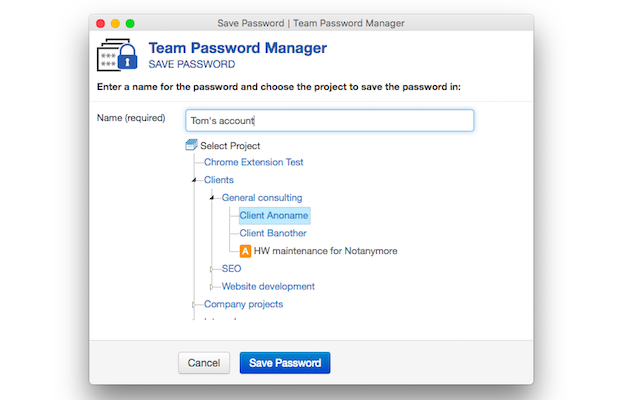
Autofill login forms and store web passwords in Team Password Manager
Deutsch, English, español, français, italiano, português (Brasil), português (Portugal), čeština Developer Ferran Barba Moya Carrer de Pascal, 5 Matadepera, Barcelona 08230 ES Website Email info@teampasswordmanager.com Phone +34 672 57 32 20 Trader This developer has identified itself as a trader per the definition from the European Union and committed to only offer products or services that comply with EU laws. Privacy Manage extensions and learn how they're being used in your organization Try Chrome Enterprise Core The developer has disclosed that it will not collect or use your data. To learn more, see the developer’s privacy policy. This developer declares that your data isNot being sold to third parties, outside of the approved use cases Not being used or transferred for purposes that are unrelated to the item's core functionality Not being used or transferred to determine creditworthiness or for lending purposes Support For help with questions, suggestions, or problems, visit the developer's support site
Team Password Manager is free. There is no paid tier to consider.
Generate strong passwords, autofill and protect your confidential info with zero-knowledge encryption.

Privacy-first ad blocker that also blocks trackers and cookie pop-ups.

Open-source password manager with autofill.

Unmatched adblock extension against advertising and pop-ups. Blocks ads on Facebook, YouTube and all other websites.

A cloud-based password manager that makes it easy to log in to your favorite sites.

Free VPN trusted by 10M+ users. Hide your IP, browse privately, Block Ads & Trackers - Kill Switch, No-logs, Search history clear
Yes, Team Password Manager is free to use.
Team Password Manager is published by Ferran Barba Moya. As with any extension, review the permissions it requests before installing and remove it if you stop using it.
Browse the Privacy & Security category for comparable options.
Picked from the Privacy & Security category and the tags team, password, manager — jump straight to the alternatives and head-to-head pages people open next.
Side-by-side feature tables, pricing and a clear recommendation.