

OneTab
Tab ManagementFree
Collapse all open tabs into a single tidy list and reclaim memory.
4.414,600 reviews2M+
View Extension
Export currently open Chrome tab URLs to the clipboard or download the list as a file.
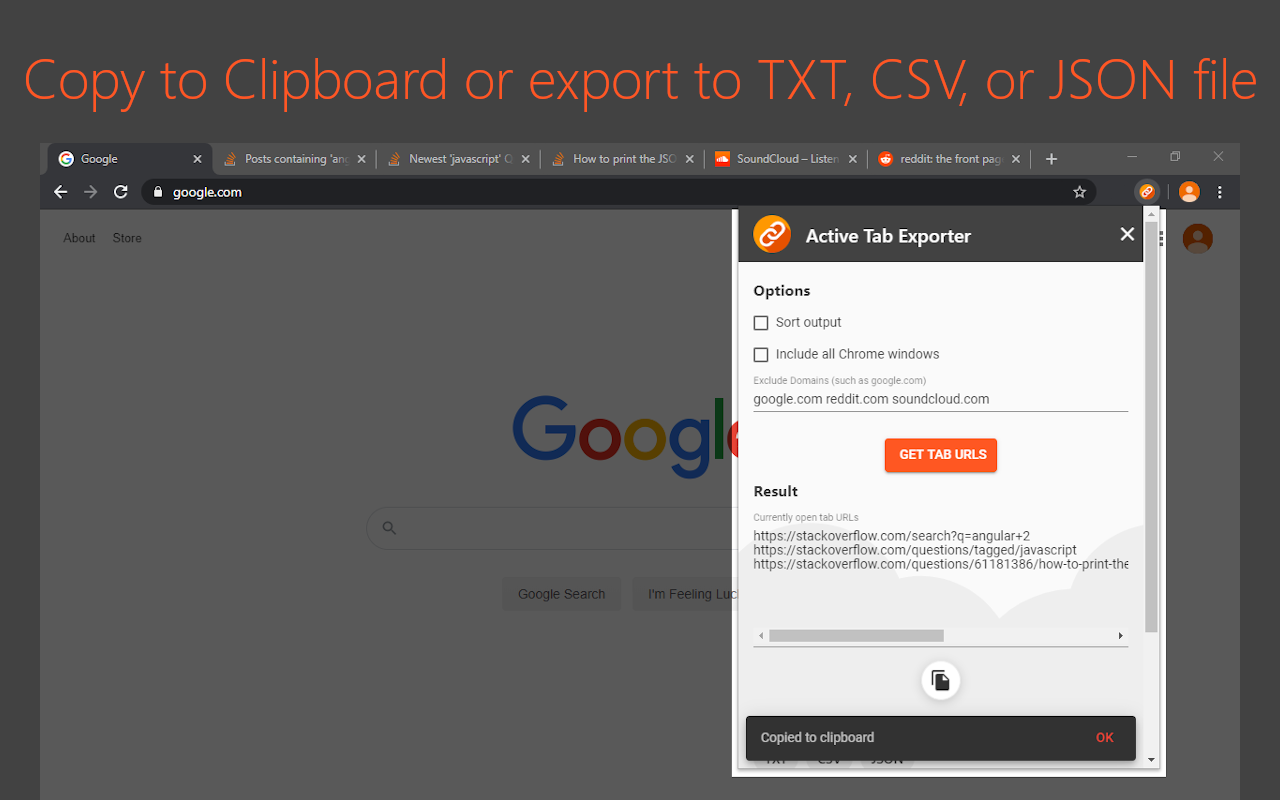
Active Tab Exporter for Chrome gives you the ability to quickly export all of your open Chrome tab URLs to clipboard or to a file. This saves you all the effort of having to go through each tab you have open and click into the URL bar, copy the URL, and finally paste it wherever you need it to go. With this extension, you can do everything with a single button click. ======================================== MAIN FEATURES ======================================== • Option to include all open Chrome windows or just the tabs in the currently active window • Option to sort the output (enabled by default) • Copy the list of URLs to your clipboard with 1 button • Export the list of URLs to a file (TXT, CSV, JSON). ======================================== URL LIST EXPORT OPTIONS ======================================== • Copy to Clipboard • TXT • CSV • JSON ======================================== SECURITY / PERMISSIONS ======================================== * This extension requests the 'tabs' permission - which it needs in order to fetch all of your open tab URLs so it can export them to you.
Active Tab Exporter for Chrome is free. There is no paid tier to consider.
Collapse all open tabs into a single tidy list and reclaim memory.

Project-based tab manager with automatic tab saving.

Visual bookmark manager that replaces messy tab hoarding.

Increase browser speed and reduce memory load when you have numerous open tabs.

Display web pages using IE within Chrome. Use Java, Silverlight, ActiveX, Sharepoint, and more.

Quickly find open tabs, see all windows in one view, find duplicates and limit tabs per window. The best Tab Manager for Chrome.
Yes, Active Tab Exporter for Chrome is free to install and use.
Browse the Tab Management category for comparable options.
Picked from the Tab Management category and the tags active, tab, exporter — jump straight to the alternatives and head-to-head pages people open next.
Side-by-side feature tables, pricing and a clear recommendation.