

Adobe Acrobat: PDF edit, convert, sign tools
ProductivityFreemium
Do more in Google Chrome with Adobe Acrobat PDF tools. View, fill, comment, sign, and try convert and compress tools.
4.462,900 reviews311M+
View Extension
Hide the YouTube content and be distraction free!
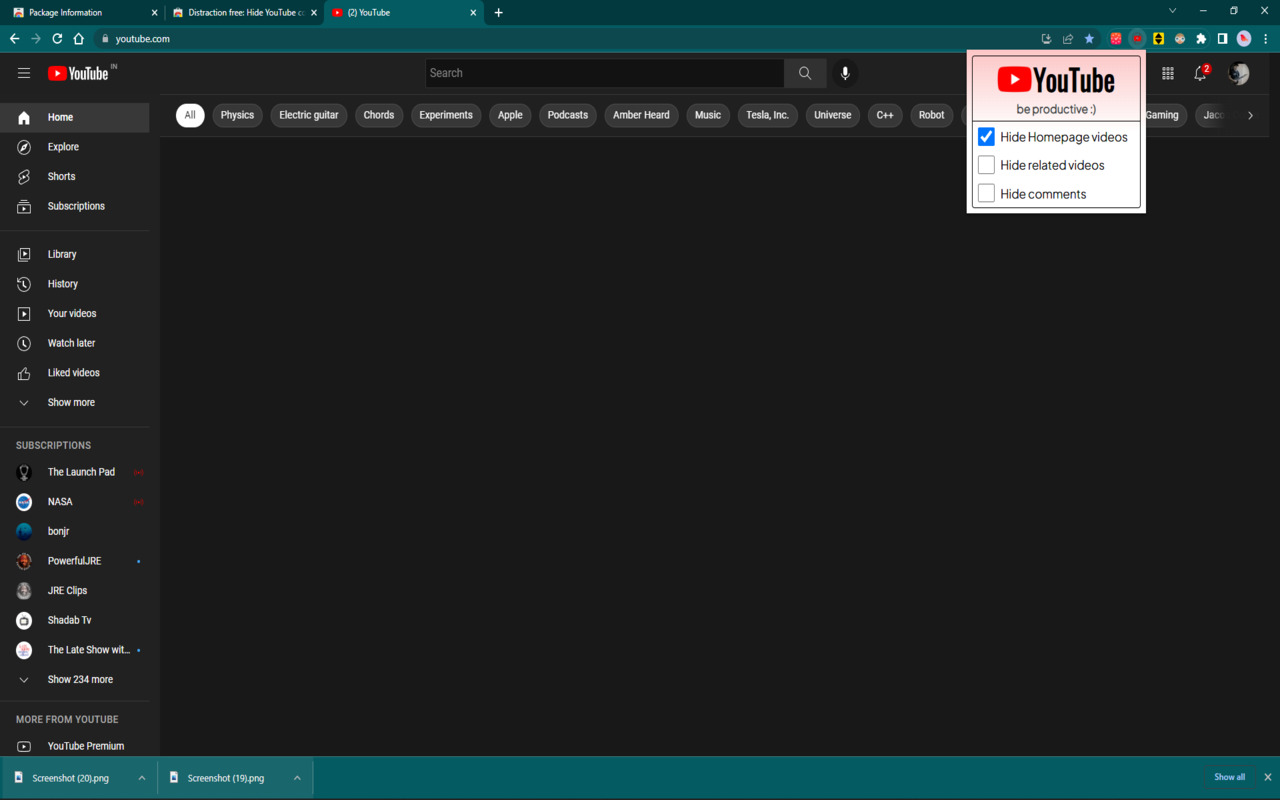
Easily hide catchy YouTube videos and comments and prevent distraction. This extension has ergonomic CSS elements and a rich UI for great experience. Enjoy :) Updates: v1.2.3 (dated 27/07/2022) - Code is more clean and UI elements are better v1.2.2 (dated 20/06/2022) - checkboxes are now custom toggle switches v1.1.2 (dated 22/04/2022) - UI is more responsive now - comment checkbox bug fixed. Now the extension is bug-free. v1.1.1 - better and interactive UI v1.1 - added the feature of removing comments - bug fixes
Distraction free: Hide YouTube content is free. There is no paid tier to consider.
Do more in Google Chrome with Adobe Acrobat PDF tools. View, fill, comment, sign, and try convert and compress tools.

One of the most installed ad blockers for Chrome, with simple whitelisting.

Efficient, open-source content and ad blocker.

Remove ads on YouTube and everywhere else you browse.

Unmatched adblock extension against advertising and pop-ups. Blocks ads on Facebook, YouTube and all other websites.

Powering your web experience with a reliable, endpoint protection layer.
Yes, Distraction free: Hide YouTube content is free to install and use.
Browse the directory category for comparable options.
Picked from the same category and the tags distraction, free, hide — jump straight to the alternatives and head-to-head pages people open next.
Side-by-side feature tables, pricing and a clear recommendation.