

Chromebook Recovery Utility
SportsFree
Create recovery media for your Chromebook.
2.62,200 reviews2M+
View Extension
The Essential SEO Toolkit from Opace is a collection of useful SEO tools, which when clicked opens the tool using the current URL.
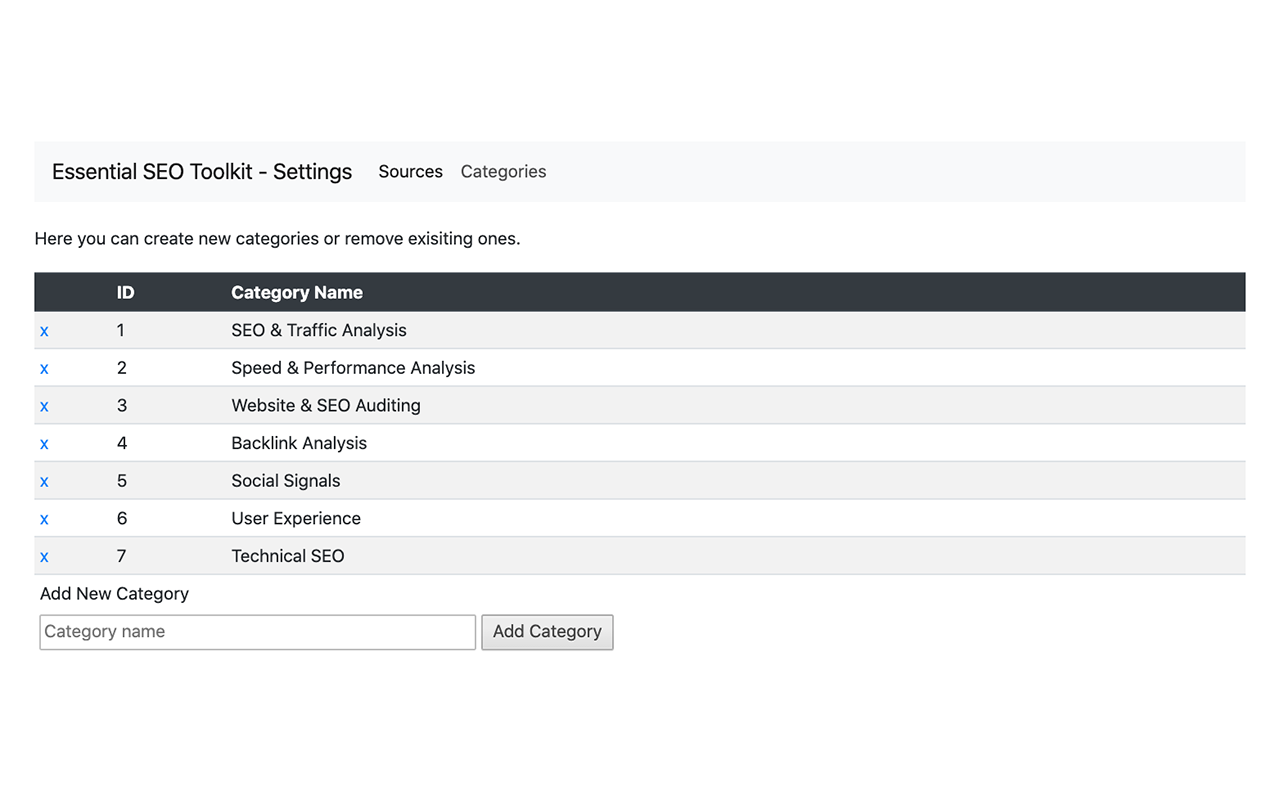
This is v4 (see new features listed below). The Essential SEO Toolkit from Opace is a free of charge Chrome extension, which offers a collection of useful SEO tools, which when clicked opens the tool using the current URL. The SEO tools and resources included are ones which we believe Web Developers, SEO professionals and Marketers may find useful. The toolkit consists of a range of tools, any of which when clicked, the tool opens will open a new tab and pass the current URL to the tool for quick and easy viewing of data for the given website. Toolkit Installation process Install the SEO Toolkit, by following these easy steps: 1) Click the “Add to Chrome” button 2) On the next screen, click the “Add Extension” button 3) A message will then be displayed saying “The Essential SEO Toolkit has successfully been added to Chrome” 4) That’s it, the extension is now available and ready to use! The tools included are split into five groups and cover various areas of SEO and social media. These tools can be accessed by clicking the radio button next to the tool name: 1) SEO & Traffic Analysis General intelligence tools with a traffic emphasis, but also other features too: a) Alexa – analyse your own / competitors’ traffic with a full suite of SEO tools b) SERanking – an SEO suite with 35+ internal tools to analyse traffic & other SEO areas c) SEMRush – a powerful intelligence suite for SEO, PPC, social media & video research 2) Speed Analysis A range of tools designed to provide opportunities to increase website speed/performance: a) Pingdom Tools – monitor the speed, performance & availability of a website b) GT Metrix – analyse a page’s speed performance, see scores with PageSpeed & YSlow c) Google PageSpeed Insights – PageSpeed score & suggestions direct from Google 3) Website & SEO Auditing Audit tools which will often identify many areas of possible improvements for websites: a) WooRank – review your website & identify keywords with the WooRank SEO checker b) Nibbler (Silktide) – testing tool for accessibility, SEO, social media & other compliance c) SEOptimer – a tool which analyses & grades a website, showing areas of improvement d) SiteChecker – 100+ parameters audit report, includes metadata, images, links, etc. 4) Backlinks Analysis Analyse backlinks for your own and competitor websites with this range of tools: a) Majestic – a suite of link intelligence tools for SEO and digital marketing b) Ahrefs – SEO toolset includes backlinks, competitor analysis, keyword research, etc. c) Moz Link Explorer – a set of link analysis and competitor research tools from Moz 5) Social Signals Tools which provide fast insights into the amounts of social shares of a URL: a) Social Shares Count Checker – track the social media shares for a URL in seconds b) Count Checker – shows # of shares, likes & comments for many social media sites ** WHAT'S NEW in V 4.0? ** Minor update to migrate to Manifest V3. ** WHAT'S NEW in V 3.0? ** Minor bug fix. ** WHAT'S NEW in V 2.0? ** 1. A Facelift - Firstly, the tool has a fresh facelift and a more modern UX: 2. Settings panel - We now have a cog symbol in the top right hand corner which will load a settings panel. Here you can add your own categories and tools which will be saved and shown when ever you use the Essential SEO Toolkit. PLEASE NOTE – these settings will only save for you locally and will not impact other users of the Google Chrome extension. 3. Add Your Own Tool - If you are the vendor of an online tool which you feel will be useful, you can make suggestions for your own tool to be added to our extension by clicking the 'Add Your Own Tool' button. 4. Essential new tools - We’ve added the following new categories and SEO tools: User Experience Check various user-experience related aspects of your website or web page: a) Google Mobile-Friendly Test – a tool which will reports on whether your URL passes Google’s mobile-friendly test b) Responsinator – a related tool, which shows how your URL will actually appear on different devices and screen resolutions so you can quickly check how a user will see your page or post c) Think With Google Test – this reports on a range of aspects of your URL in particular relating to page speed metrics and load times Technical SEO Tools to assess various factors related to technical SEO (on-site SEO) including your content and markup: a) Copyscape Duplicate Content Checker – a tool to check whether you URL contains any content duplicated from elsewhere on Web b Google Structured Data Testing Tool – evaluate your code to check for opportunities to add structured data and rich snippets c) Siteliner Crawler – assess the internal content of your site for duplicate content, broken links and more d) XML Sitemap Generator – automatically generate an XML sitemap for your domain Reasons to download the tool Here are some of the main reasons to download the Essential SEO toolkit: • Convenience – find all your favourite tools in one convenient browser extension • Free – the tool is totally free of charge • New tools – learn about new tools in the toolkit and additional ones as they are added • Quick installation – the installing process is just a few clicks and takes 2-3 minutes • Quick removal – if you decide to no longer use the toolkit, remove it in two minutes • Reduced bookmarking – free up some bookmarks, by storing favourite sites here • Save time – the tools included will save you a lot of time on day to day analysis tasks Frequently asked questions about our tool: Why is the tool supplied for free? There is no actual direct cost to Opace of making this tool available, so we are happy to release it free of charge as many organisations do with open source software. As a business, we do benefi
Essential SEO Toolkit (SEO Analysis Tool) from Opace is freemium. The free tier is usable for evaluation; compare paid tiers before committing a team.
Create recovery media for your Chromebook.

Makes raw JSON responses readable in the browser.

Take FULL webpage screenshots. Capture, edit and save them to PDF/JPEG/GIF/PNG, upload, print, send to OneNote, clipboard or email.

DevTools browser extension for Vue.js

Inspect React component trees, props and state.

The Tag Assistant extension works with Tag Assistant to help troubleshoot installation of gtag.js and Google Tag Manager.
Essential SEO Toolkit (SEO Analysis Tool) from Opace offers paid plans.
Essential SEO Toolkit (SEO Analysis Tool) from Opace is published by Opace Ltd. As with any extension, review the permissions it requests before installing and remove it if you stop using it.
Browse the Sports category for comparable options.
Picked from the Sports category and the tags essential, seo, toolkit — jump straight to the alternatives and head-to-head pages people open next.
Side-by-side feature tables, pricing and a clear recommendation.