

Adblock Plus - free ad blocker
ProductivityFreemium
Remove ads on YouTube and everywhere else you browse.
4.4188,000 reviews37M+
View Extension
Quickly view HTTP headers for the current page.
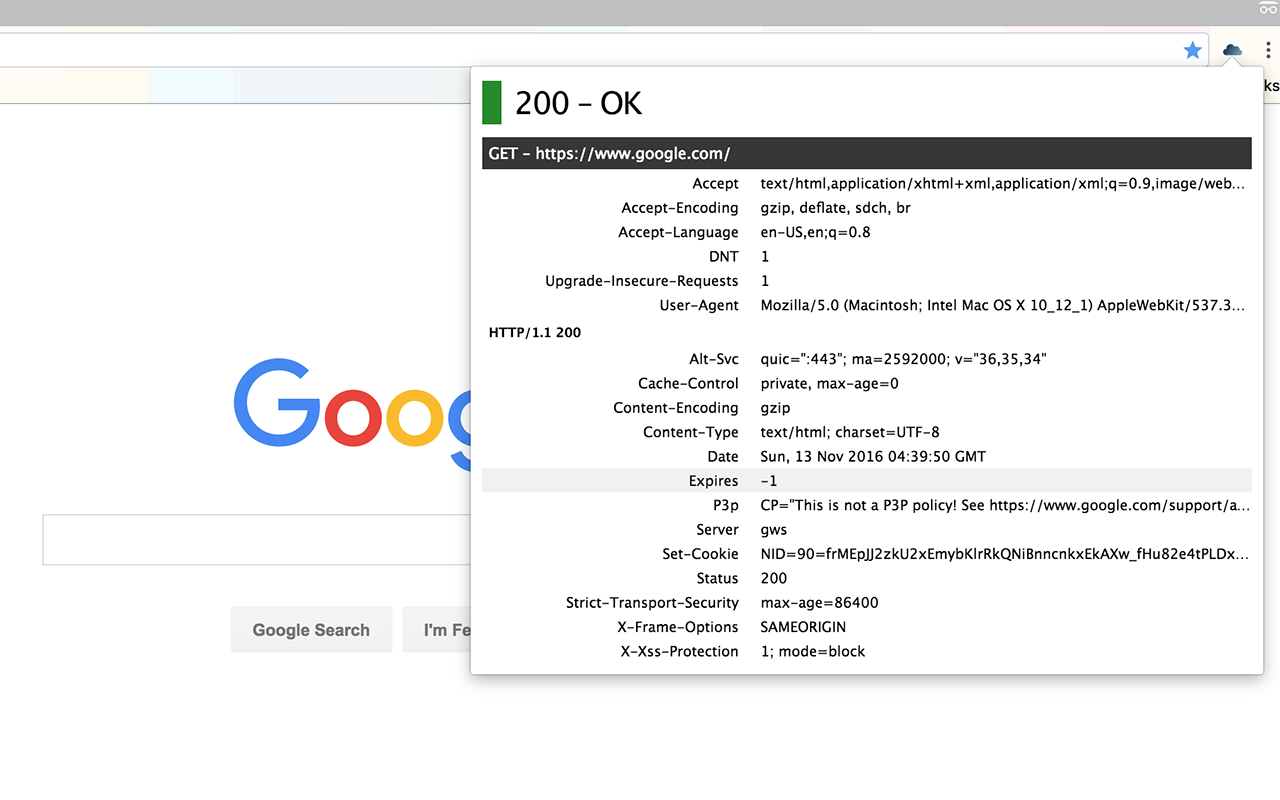
Display HTTP headers for all requests and responses for the current page. HTTP Headers is a lightweight extension that contains no third-party libraries and no user tracking. It is designed to allow you to quickly review status codes and headers for the requests that Chrome makes and the responses it receives. Headers are always listed alphabetically, and very long values are truncated to a single line until you hover over them with your mouse, to keep the list easy to read. Descriptions of common headers are included to help you understand what each one does. Clicking on a value will copy that header to the clipboard in the standard HTTP header format. The extension's icon will display a badge indicating either the status code of the response, or the total number of requests the browser made, including redirects. The color of the badge always indicates the status of final response. This extension is open source and the source code is available at https://github.com/farski/http-headers-crx
HTTP Headers is free. There is no paid tier to consider.
Remove ads on YouTube and everywhere else you browse.

Do more in Google Chrome with Adobe Acrobat PDF tools. View, fill, comment, sign, and try convert and compress tools.

The world's most trusted crypto wallet

Powering your web experience with a reliable, endpoint protection layer.

One of the most installed ad blockers for Chrome, with simple whitelisting.

VeePN is a VPN extension that unblocks websites and secures your connection with encrypted tunneling and unlimited bandwidth.
Yes, HTTP Headers is free to install and use.
Browse the directory category for comparable options.
Picked from the same category and the tags http, headers — jump straight to the alternatives and head-to-head pages people open next.
Side-by-side feature tables, pricing and a clear recommendation.