

Adobe Acrobat: PDF edit, convert, sign tools
ProductivityFreemium
Do more in Google Chrome with Adobe Acrobat PDF tools. View, fill, comment, sign, and try convert and compress tools.
4.462,900 reviews311M+
View Extension
Enable local file links to hard disk, Azure AD & company shared folders, mapped network drive directly in corporate/local host site.
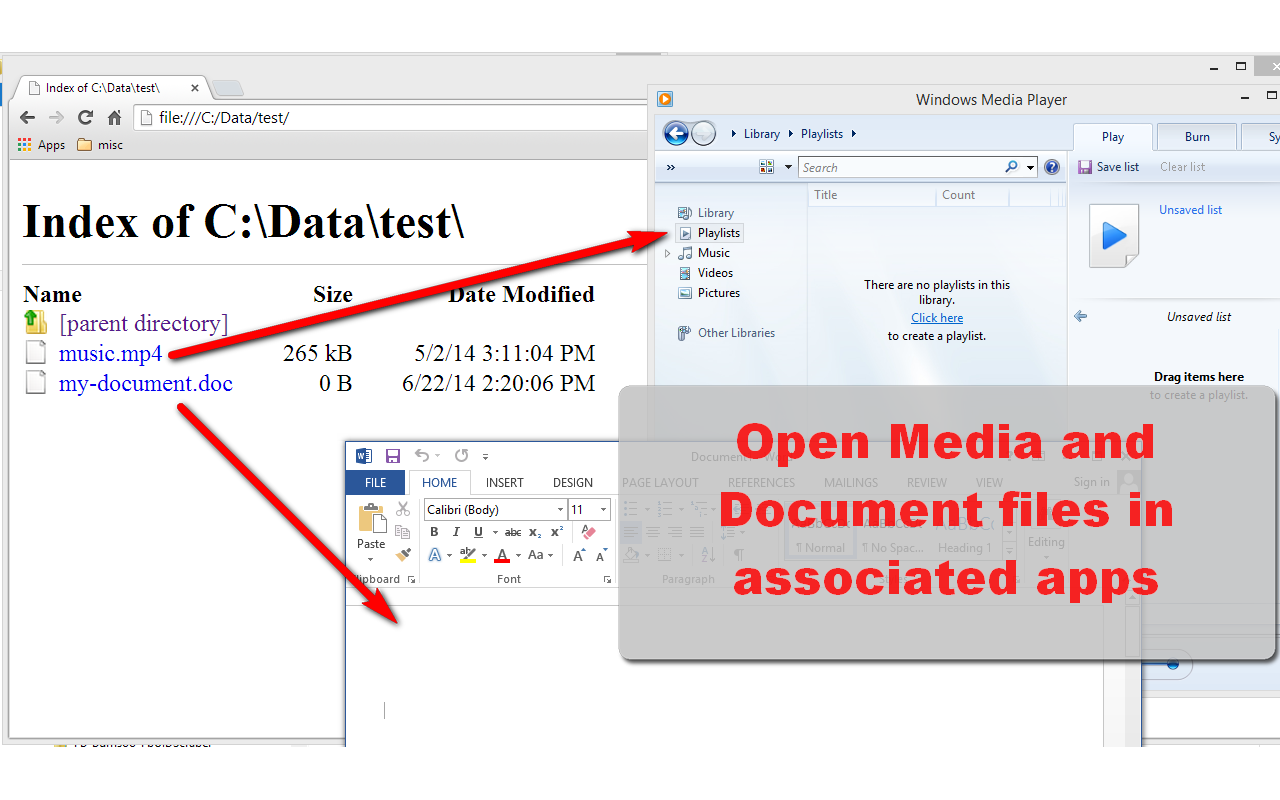
Enable local file links in Chrome or Edge by using the Local Explorer browser extension. It lets you browse and open local file links directly in your web browser. Local Explorer can enable local file links and open them in associated application when clicked. For examples, click a folder link to open Windows Explorer, click *.docx file to open MS Word, click *.avi file to open Windows Media Player, and so on... You may use Local Explorer to open local file links & folder links to hard disk drives, Azure Active Directory or company's shared folders, mapped network drive directly in corporate website or local host site. EXAMPLES C:\Users\my_user_name\Documents ("My Documents" folders) \\10.0.0.1\shared\local\folders\files (network drive) W:\folder\ and W:\folder\file.docx (on webpages they're "file:///W:/folder/" and "file:///W:/folder/file.docx") NOTES - Currently it works only on Windows. We built this long ago for our in-house system and it's free. If you find any problem, contact us at support@vnprodev.com or click "Send Feedback" button before you post a negative review. - The extension started to support Unicode since version 2022.11.30.
Local Explorer - Open File Links in Chrome is free. There is no paid tier to consider.
Do more in Google Chrome with Adobe Acrobat PDF tools. View, fill, comment, sign, and try convert and compress tools.

One of the most installed ad blockers for Chrome, with simple whitelisting.

Efficient, open-source content and ad blocker.

Tampermonkey lets you install and run userscripts to customize websites, automate repetitive tasks and enhance functionality.

Block malware, scams, phishing and trackers for safer, cleaner, and ad-free browsing.

VeePN is a VPN extension that unblocks websites and secures your connection with encrypted tunneling and unlimited bandwidth.
Yes, Local Explorer - Open File Links in Chrome is free to install and use.
Browse the directory category for comparable options.
Picked from the same category and the tags local, explorer, open — jump straight to the alternatives and head-to-head pages people open next.
Side-by-side feature tables, pricing and a clear recommendation.