

Chrome Remote Desktop
ProductivityFree
Chrome Remote Desktop extension
3.12,900 reviews37M+
View Extension
Press on the toolbar button to see the magnifying glass on the current page.
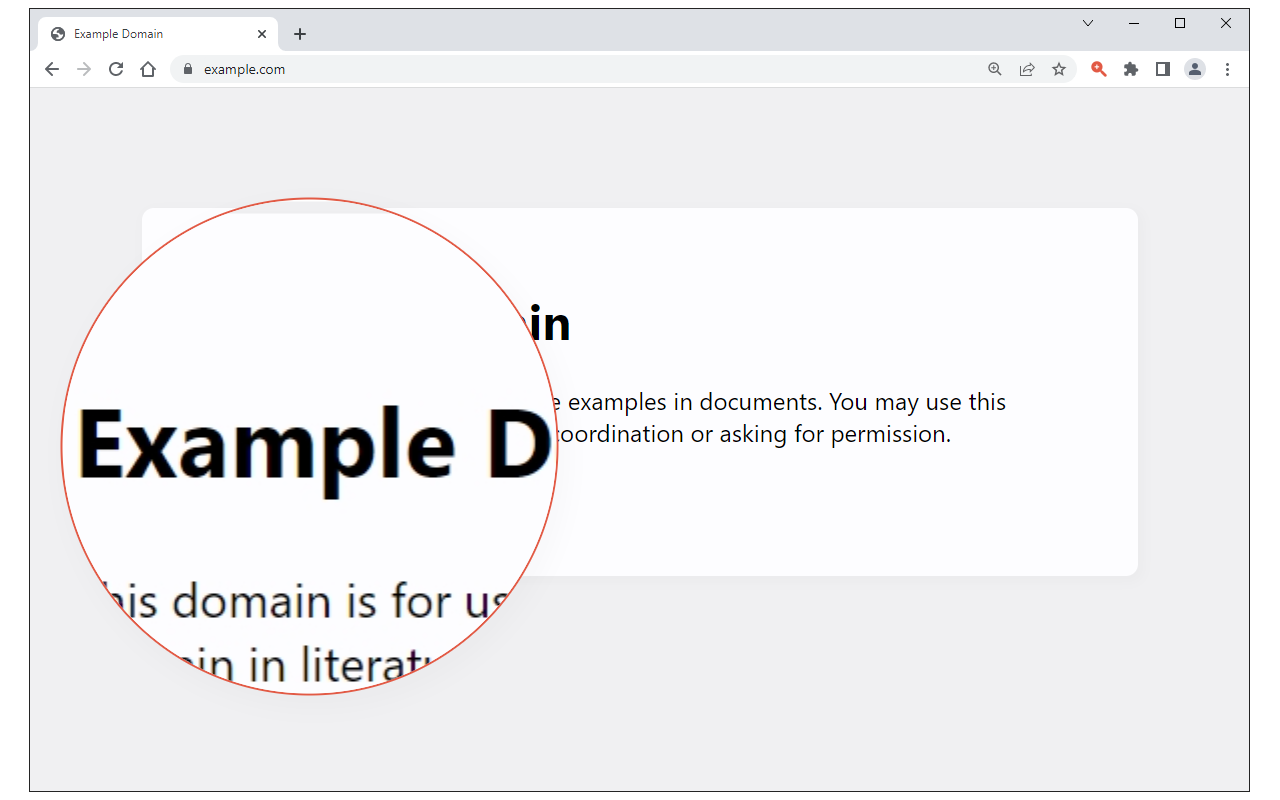
Magnifying Glass (Hover Zoom) is a lite addon that enables you to magnify a portion of a webpage with a click of a button. Please click on the toolbar button once to see the magnifying glass. Then move your mouse to see the magnified page within a circular section. If you want to hide the magnifier, simply click on the toolbar button once or click anywhere on the page. This addon has also an options page to adjust the magnifier zoom level and coverage area. Moreover, the toolbar button serves as an ON|OFF switch to turn the addon ON or OFF. Note 1: when you install the addon, it is turned off. Please click on the toolbar button once to activate the addon. The toolbar icon is red when the addon is active and grey when it is inactive. Note 2: if you want to change the zoom level, please visit the addon's options page. To report bugs, please fill out the bug report form on the addon's homepage (https://mybrowseraddon.com/magnifying-glass.html).
Magnifying Glass (Hover Zoom) is free. There is no paid tier to consider.
Chrome Remote Desktop extension

Do more in Google Chrome with Adobe Acrobat PDF tools. View, fill, comment, sign, and try convert and compress tools.

Finds and applies coupon codes at checkout.

Translate selected text or a full page without leaving the tab.

Powering your web experience with a reliable, endpoint protection layer.

Unmatched adblock extension against advertising and pop-ups. Blocks ads on Facebook, YouTube and all other websites.
Yes, Magnifying Glass (Hover Zoom) is free to install and use.
Browse the directory category for comparable options.
Picked from the same category and the tags magnifying, glass, hover — jump straight to the alternatives and head-to-head pages people open next.
Side-by-side feature tables, pricing and a clear recommendation.