

Adblock Plus - free ad blocker
ProductivityFreemium
Remove ads on YouTube and everywhere else you browse.
4.4188,000 reviews37M+
View Extension
Create and edit PDF files with PDF editor online
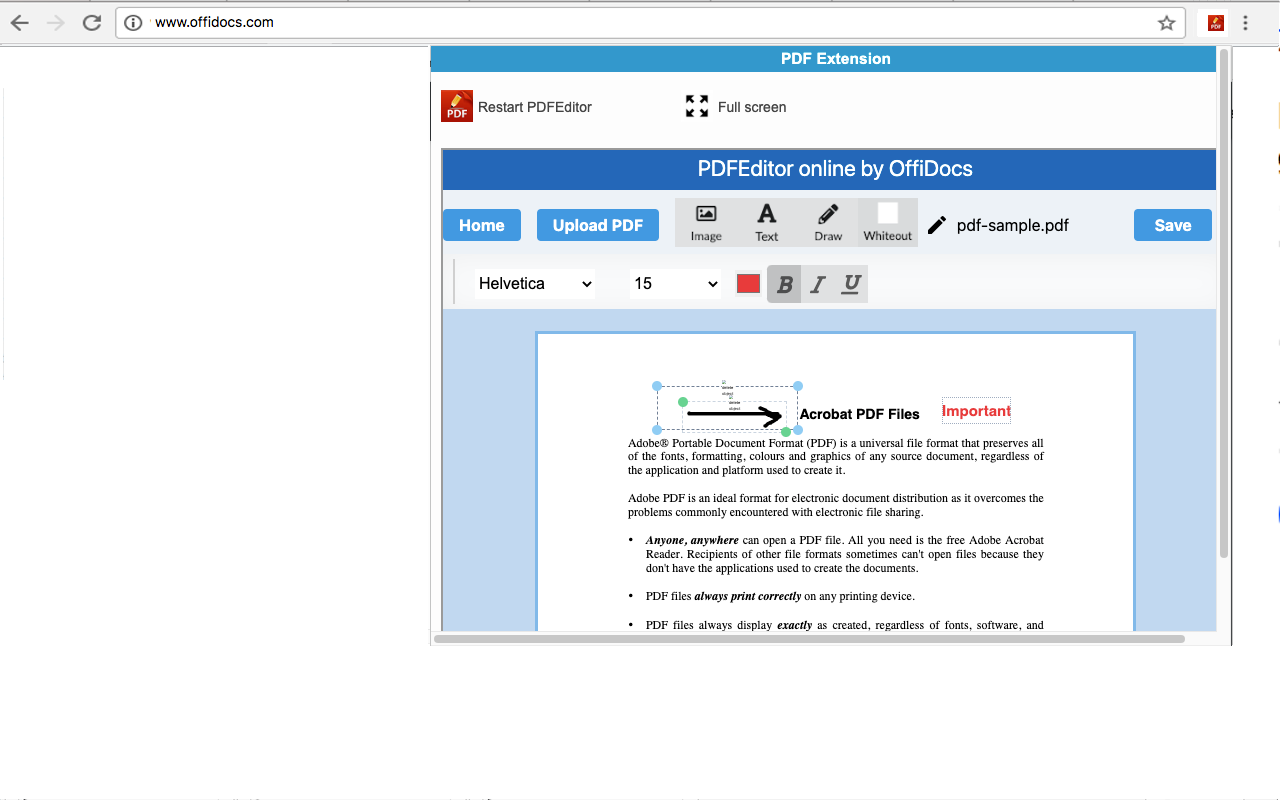
PDF Editor online is an extension that allows to handle PDF files using directly your web browser. We provide it as a free open source system for manipulating PDF documents. It allows you to create, edit, view and annotate PDF files. It is a document editor integrated with our file manager to manage only PDF file types with this desktop app. The PDF Editor online main features are: - Creation; to create any PDF file from a basic template. - Edit; to create/modify/delete text, images and vector drawing objects like curves, lines, paths. - View; to navigate/open the PDF files. The navigation options include pages, outlines or objects. - Annotate; to create/add and save comments directly inside the file. - Compatibility with any PDF file & Acrobat Adobe. - Free software. IMPORTANT: This extension scans the URLs browsed in order to detect PDF files. The PDF files detected appear in a file list located in the extension popup that are retrieved from our servers. The scanning is performed from our servers so your URL are reported to our system. No personal data is collected. This scan can be disabled with a checkbox that appears in the extension popup. If you disable this scanning, this functionality is not available so then the extension functionality is very limited.
PDF editor online is free. There is no paid tier to consider.
Remove ads on YouTube and everywhere else you browse.

Translate selected text or a full page without leaving the tab.

Do more in Google Chrome with Adobe Acrobat PDF tools. View, fill, comment, sign, and try convert and compress tools.

Grammar, spelling and tone suggestions everywhere you write.

Connect to the fastest VPN out there — NordVPN. Hide your IP, block ads, and be safer online with our VPN proxy extension for Chrome

Chrome Remote Desktop extension
Yes, PDF editor online is free to install and use.
Browse the directory category for comparable options.
Picked from the same category and the tags pdf, editor, online — jump straight to the alternatives and head-to-head pages people open next.
Side-by-side feature tables, pricing and a clear recommendation.