

VPN for Chrome: NordVPN proxy protection
ProductivityFree
Connect to the fastest VPN out there — NordVPN. Hide your IP, block ads, and be safer online with our VPN proxy extension for Chrome
Store stats not synced yet
View Extension
Highlight, copy, edit, and translate text from any image on the web.
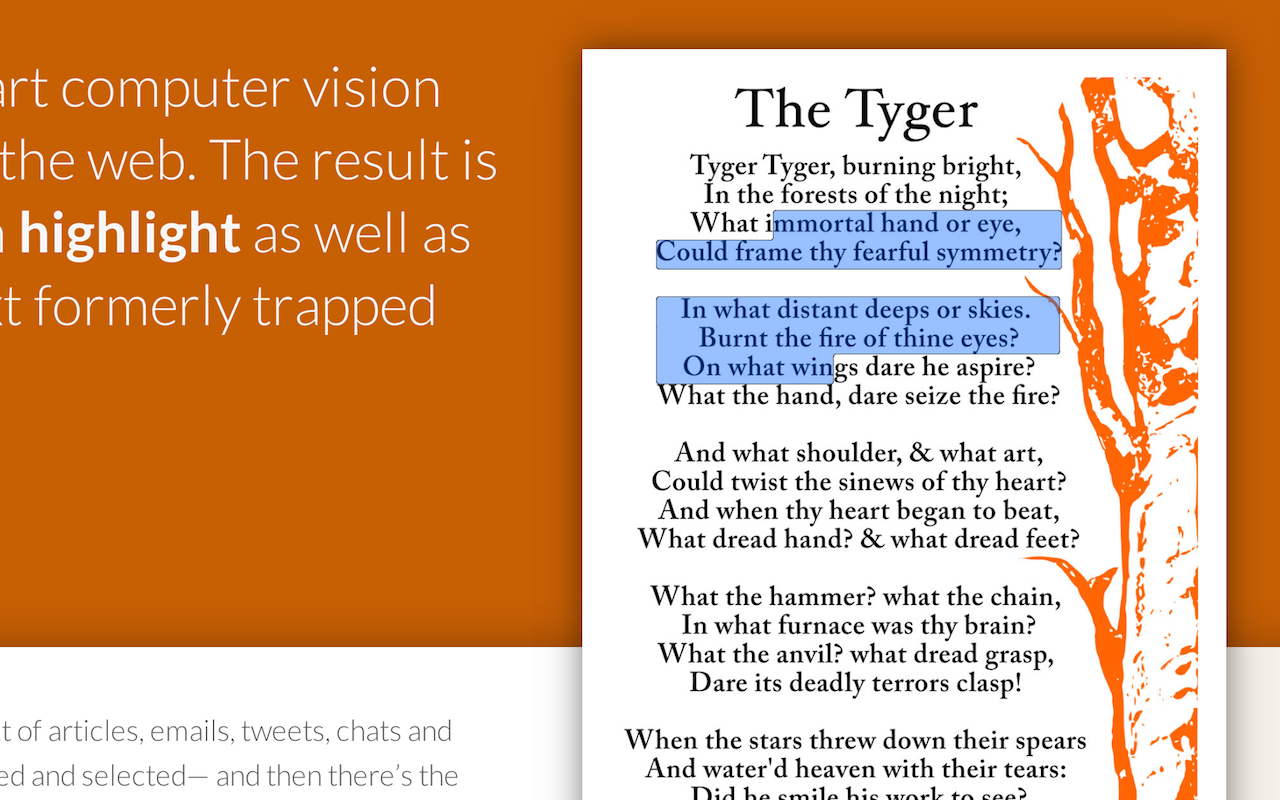
Live Demo: http://projectnaptha.com/ Project Naptha automatically applies state-of-the-art computer vision algorithms on every image you see while browsing the web. The result is a seamless and intuitive experience, where you can highlight as well as copy and paste and even edit and translate the text formerly trapped within an image. Words on the web exist in two forms: there’s the text of articles, emails, tweets, chats and blogs— which can be copied, searched, translated, edited and selected— and then there’s the text which is shackled to images, found in comics, document scans, photographs, posters, charts, diagrams, screenshots and memes. Interaction with this second type of text has always been a second class experience, the only way to search or copy a sentence from an image would be to do as the ancient monks did, manually transcribing regions of interest. You can watch as moving your cursor over a block of words changes it into the little I-beam. You can drag over a few lines and watch as a semitransparent blue box highlights the text, helping you keep track of where you are and what you’re reading. Hit Ctrl+C to copy the text, where you can paste it into a search bar, a Word document, an email or a chat window. Right-click and you can erase the words from an image, edit the words, or even translate it into a different language. Security & Privacy: Project Naptha handles OCR and text detection locally on your computer. When highlighting text, the extension checks a remote server to determine whether a public high quality transcription exists using a cryptographic hash of the URL (this includes no cookies, user tokens, or any identifying information, and the server is incapable of storing access logs). For more information, read the section on security and privacy on http://projectnaptha.com/
Project Naptha is free. There is no paid tier to consider.
Connect to the fastest VPN out there — NordVPN. Hide your IP, block ads, and be safer online with our VPN proxy extension for Chrome

Powering your web experience with a reliable, endpoint protection layer.

Grammar, spelling and tone suggestions everywhere you write.

Remove ads on YouTube and everywhere else you browse.

Tampermonkey lets you install and run userscripts to customize websites, automate repetitive tasks and enhance functionality.

Translate selected text or a full page without leaving the tab.
Yes, Project Naptha is free to install and use.
Browse the directory category for comparable options.
Picked from the same category and the tags project, naptha — jump straight to the alternatives and head-to-head pages people open next.
Side-by-side feature tables, pricing and a clear recommendation.