

Adobe Acrobat: PDF edit, convert, sign tools
ProductivityFreemium
Do more in Google Chrome with Adobe Acrobat PDF tools. View, fill, comment, sign, and try convert and compress tools.
4.462,900 reviews311M+
View Extension
Speed Dial 2 is an easy-to-use extension that lets you save and organize your most visited websites and customize your new tab page.
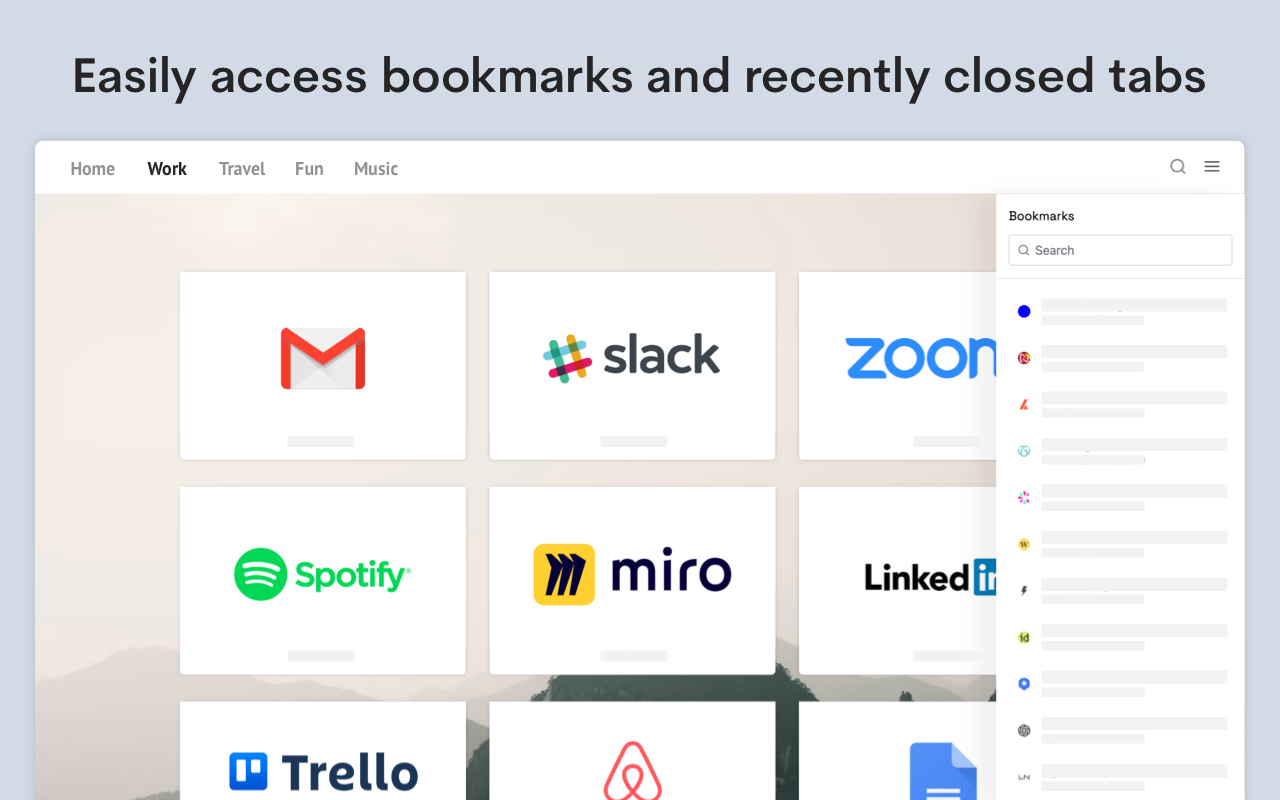
Radically better new tab page! Level up your workspace with our unique tools designed to make you more productive. Transform and customize your new tab experience to your liking. 🏆 Acclaimed & featured as one of the "Best New Tab" extensions on multiple tech blogs! 📌 More than 10 years in the Chrome Web Store 👏 More than 2 million downloads, trusted by happy users around the world 💼 Used by professionals from leading tech companies 🥷🏼. Private and secure ✦✦ Key Features ✦✦ • Save unlimited number of your favorite websites and organize them into groups • Easy access to bookmarks and recently closed tabs • Beautiful themes and powerful customization • Dark and light theme support • Collaborate and share a group of bookmarks with your friends • Synchronization with other computers and mobile devices • Private and secure — we don’t share or sell your data • Clean and intuitive design • Available in 9 languages • Beautiful custom new tab page • Bookmark organization Note: For the best experience, after installing Speed Dial 2, click the ‘Keep it’ button on the ‘Change back to Google’ notification. This will show Speed Dial 2 every time your open a new tab. ✦✦ Privacy & Security ✦✦ The information we gather or process is used solely for the core functionality of Speed Dial 2 and to improve the quality of our service. We do not sell your information to any third parties. Speed Dial 2 is designed to be a secure and private place for your bookmarks. We have been in the Chrome Web Store since 2011 and earned the trust of more than 1 million users. We are GDPR compliant and CCPA ready. For more information on privacy and the security of your data visit https://www.speeddial2.com/privacy-policy * Keep your new tab page it organized * Save your most visited websites for convenient access, organize them into groups, and customize them to suit your needs. * Find anything, instantly * Quickly find anything you need, including your browser bookmarks and recently closed tabs. * Make it yours! * Choose from a variety of themes and customize the look and feel of your new tab page with custom backgrounds and more. ✦✦ What's new? ✦✦ Version 3.9.0 - Add "Focus mode" - Add new "Compact layout" option - Add dark theme status bar icon - Stability improvements Version 3.8.1 - Allow manual sorting in Bookmarks Sidebar panel - Improved synchronization Version 3.8.0 - Improved Bookmarks Sidebar panel - Allow file:// URLs for custom icons Version 3.7.9 - Add Mobile App Version 3.7.8 - Minor improvements Version 3.7.7 - Allow to import multiple URLs at once - Context menu - Improved Dark theme (no white flashing when opening new tab) - Stability improvements Version 3.7.4 - Improved search functionality - Improved synchronization - Fix for alphabetical sorting Version 3.5.6 Fix: Display of website favicons Version 3.5.8 - 3.5.9 Improvements to sync, hotfix for account access Version 3.5.6 Add an option to customize the keyboard shortcut Version 3.5.5 Changed default keyboard shortcut to Ctrl+Shift+S Version 3.5.4 Performance improvements Version 3.5.2 Added a keyboard shortcut Ctrl (⌘) + U to open Speed Dial 2 action menu from any page Version 3.5.0 Upgraded extension to Manifest V3 Version 3.3.8 We made it easier to use Speed Dial 2 with your keyboard. Press the "Tab" key to focus on bookmarks, and use arrow keys to navigate through your new tab page. Open the selected bookmark by hitting Enter or open it in a new tab with Ctrl/⌘ + Enter Access the search by pressing the forward-slash "/" and start typing. The search will show you the bookmark results as you type and offer to switch to a different group in the dropdown menu. Version 3.3.7 - Allow to drag & drop bookmarks between groups - Improved website screenshot capture Version 3.3.6 Fixed the issue preventing bookmarks from opening in the new tab Version 3.3.5 Added an option to display number of visits for each bookmark Version 3.3.3 Show time created and Group name in bookmark search results Version 3.3.2 Improved dialog for adding new bookmarks Version 3.3.1 Bugfix for bookmark ordering after the synchronization Version 3.3.0 New themes, easier customization & new welcome experience Version 3.2.9 Improvements to the backup and synchronization Version 3.2.8 Minor improvements Version 3.2.7 Minor improvements Version 3.2.6 - Allow to rename the Home group - Updated logos of most popular websites Version 3.2.5 Improved loading speed of bookmark thumbnails and minor bug fixes Version 3.2.4 Customize your new tab page with carefully selected fonts that look great in your browser! Version 3.2.3 Added the changelog with the latest features Version 3.2.2 Allow to set the opacity of a background image Version 3.2.1 Bug fixes Version 3.2.0 Add Alphabetical order for bookmarks and groups
Speed Dial 2 New tab is free. There is no paid tier to consider.
Do more in Google Chrome with Adobe Acrobat PDF tools. View, fill, comment, sign, and try convert and compress tools.

Chrome Remote Desktop extension

Avira Password Manager saves, manages, and syncs all your passwords across all your devices.

✓ Permissions: like common ad-blocking extensions we do need default permissions on every website to remove ads or popups for exam.

The best way to experience 1Password in your browser. Easily sign in to sites, generate passwords, and store secure information.

Remove ads on YouTube and everywhere else you browse.
Yes, Speed Dial 2 New tab is free to use.
Speed Dial 2 New tab is published by Initial condition s.r.o.. As with any extension, review the permissions it requests before installing and remove it if you stop using it.
Browse the Productivity category for comparable options.
Picked from the Productivity category and the tags speed, dial, new — jump straight to the alternatives and head-to-head pages people open next.
Side-by-side feature tables, pricing and a clear recommendation.