

Adobe Acrobat: PDF edit, convert, sign tools
ProductivityFreemium
Do more in Google Chrome with Adobe Acrobat PDF tools. View, fill, comment, sign, and try convert and compress tools.
4.462,900 reviews311M+
View Extension
Fast & easy text-to-speech. Read aloud from websites, PDF, email. Privacy-aware, open source code.
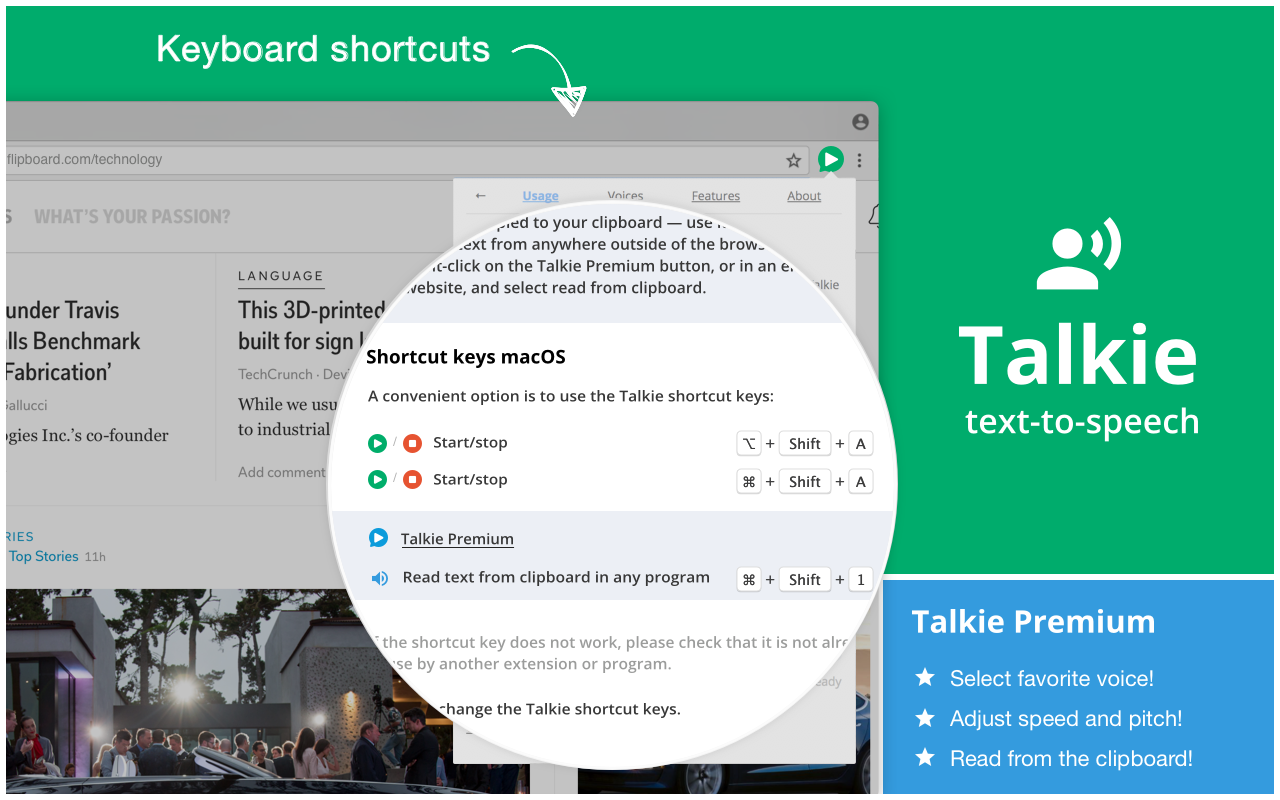
# Install additional voices New voices, languages, dialects can be downloaded for FREE for your operating system from for example Microsoft, Apple, and Google. Once installed correctly, Talkie will auto-detect them. ☑ Windows 11: Settings → Time & Language → Language & Region ☑ Windows 10: Settings → Time & Language → Language ☑ macOS: System Preferences → Accessibility → Speech → System voice → Customize... ☑ ChromeOS: Settings → Manage accessibility features → Text-to-Speech voice settings → Speech Engines # Usage 1. Select desired text on any web page. 2. Click the Talkie button in your browser bar You can also select the text, then right click on it, and choose Talkie in the menu. This way also works in PDF-files and some special types of pages in Chrome. https://joelpurra.com/projects/talkie/#usage # Shortcut keys A convenient option is to use the Talkie shortcut keys: ☑ ⌘+Shift+A on macOS ☑ Ctrl+Shift+A on Windows, Linux, Chrome OS ☑ ⌘+Shift+1 or Ctrl+Shift+1 to read text from the clipboard in any program (Talkie Premium feature) If the key does not work, please check that it is not already in use by another extension. How to check or change the Talkie shortcut key: https://joelpurra.com/projects/talkie/#shortcut-keys # Features ☑ Lets you listen to the selected text on any part of a page -- a short snippet or an entire news article. Just highlight what you want to hear read aloud and hit play. ☑ Automatically detects the text language per-page, and chooses a voice in the same language to match it. ☑ Privacy aware -- no unnecessary tracking or external services. # Voices ☑ Uses your browser's built-in Web Speech API for text-to-speech (TTS) known as Speech Synthesis. ☑ All text and speech is processed internally by your browser. While ultimately depending on your specific browser, all processing is expected to be done on your own machine and not use a server. ☑ The available voices may differ depending on your operating system, browser, browser version, and any other installed extensions/software. ☑ Custom voices using Speech Application Programming Interface (SAPI) should work, but not all have been tested. https://joelpurra.com/projects/talkie/#install-additional-voices # Upgrade to Talkie Premium! ☑ Select your favorite voice per language! ☑ Adjust the speed and pitch per language! ☑ Read text from the clipboard in any program! # Open source For open source code (GPL-3.0) and more, see the project web page: https://joelpurra.com/projects/talkie/ See also additional tools developed by Joel Purra: https://joelpurra.com/
Talkie: text-to-speech (TTS) is freemium. The free tier is usable for evaluation; compare paid tiers before committing a team.
Do more in Google Chrome with Adobe Acrobat PDF tools. View, fill, comment, sign, and try convert and compress tools.

LastPass is an award-winning password manager for secure credential management on any device.

Grammar, spelling and tone suggestions everywhere you write.

Remove ads on YouTube and everywhere else you browse.

Tampermonkey lets you install and run userscripts to customize websites, automate repetitive tasks and enhance functionality.

Browsec VPN is a Chrome VPN extension that protects your IP from Internet threats and lets you browse privately for free.
Talkie: text-to-speech (TTS) offers paid plans.
Talkie: text-to-speech (TTS) is published by Joel Purra. As with any extension, review the permissions it requests before installing and remove it if you stop using it.
Browse the directory category for comparable options.
Picked from the same category and the tags talkie, text, speech — jump straight to the alternatives and head-to-head pages people open next.
Side-by-side feature tables, pricing and a clear recommendation.