

Adobe Photoshop
DesignFree
Easily remove backgrounds, adjust colors and more. Plus, get 6 months free access to Photoshop web.
3.8283 reviews800K+
View Extension
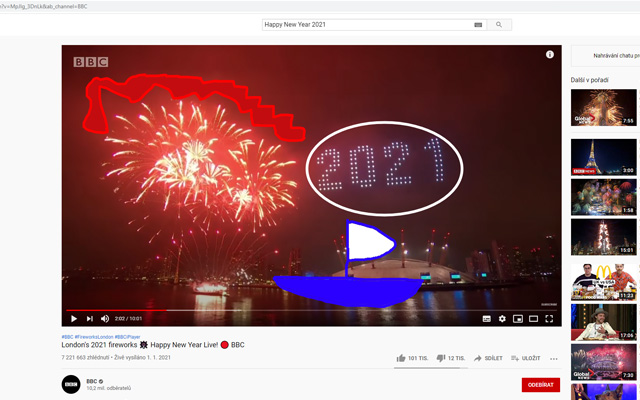
Web Paint can draw shapes and add texts to any website. Take screenshot using Web Paint!
Email goodwebtools@gmail.com Non-trader This developer has not identified itself as a trader. For consumers in the European Union, please note that consumer rights do not apply to contracts between you and this developer. Privacy Manage extensions and learn how they're being used in your organization Try Chrome Enterprise Core The developer has disclosed that it will not collect or use your data. This developer declares that your data isNot being sold to third parties, outside of the approved use cases Not being used or transferred for purposes that are unrelated to the item's core functionality Not being used or transferred to determine creditworthiness or for lending purposes You might also like…Handy Screenshot - Full Page Screen Capture
Web Paint is free. There is no paid tier to consider.
Easily remove backgrounds, adjust colors and more. Plus, get 6 months free access to Photoshop web.

Adds background images to Google Calendar

Zoom video, change aspect ratio of any video, removing black bars on Netflix, Amazon Prime, YouTube, HBO. Ultrawide video.

Dark Mode: Switch to dark reading for night & day browsing. More than dark theme style, it ensures optimal eye protection.

Dark mode switch any websites to dark theme. Take care of your eyes day using a classic dark reader or change screen brightness.

Identify the fonts used on any web page.
Yes, Web Paint is free to install and use.
Browse the Design category for comparable options.
Picked from the Design category and the tags web, paint — jump straight to the alternatives and head-to-head pages people open next.
Side-by-side feature tables, pricing and a clear recommendation.