

Grammarly
WritingFreemium
Grammar, spelling and tone suggestions everywhere you write.
4.543,100 reviews37M+
View Extension
Instantly look up authentic English pronunciations with YouGlish from any webpage. Search via popup, right‑click, or floating icon.
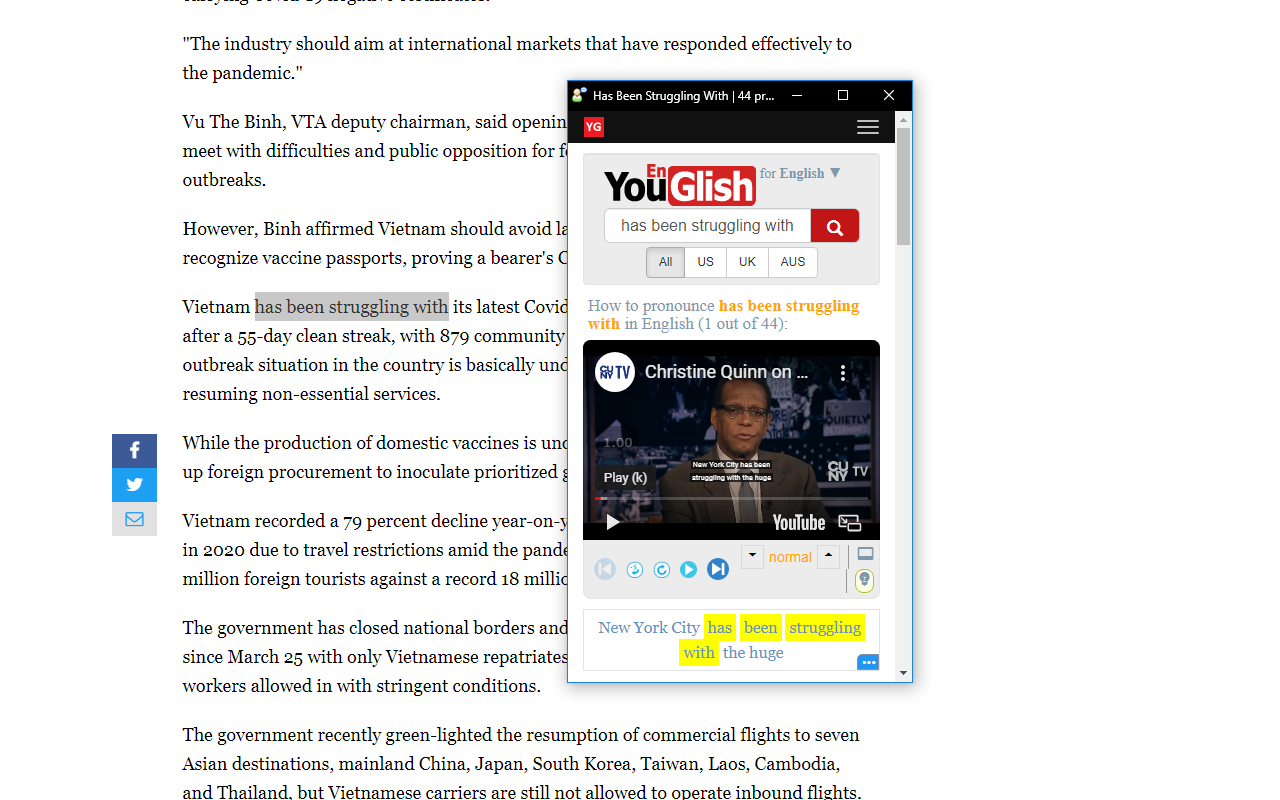
* Overview: YouGlish Lookup helps you hear real, contextual pronunciations of words and phrases, powered by YouGlish’s vast catalog of YouTube clips. Whether you’re reading online, studying, or working, it brings natural English speech to you in one click. * Key features: - Quick lookup from the browser popup: enter a word/phrase and open YouGlish in a focused mini window. - Right‑click lookup: select text on any page and choose the YouGlish context menu item. - Floating selection icon: highlight text and tap the small action icon that appears nearby to search instantly. - Single window reuse: new searches refresh one dedicated YouGlish window instead of spawning multiple popups. - Recent searches: automatically keeps up to 20 successful lookups, shown below the popup search. Click to re‑search or remove items. - Options page: tailor the experience — show/hide the floating selection icon, set the YouGlish window width and height. - Smart result handling: only successful lookups are saved to history, keeping your recent list clean and useful. *How it works: - Open the popup from the toolbar to search manually, or use right‑click/floating icon to search selected text. - The extension opens YouGlish in a compact window and centers it for focus. Subsequent searches reuse this window. - Your successful lookups are stored locally and appear in the popup for quick access. *Permissions and privacy: - Uses Context Menus, Storage, and Scripting to enable lookups and maintain recent searches. - Stores recent searches locally; the extension does not collect or transmit personal data. - YouGlish may occasionally present Cloudflare bot verification; once completed, lookups continue normally. *Notes: - After installing, remember to pin YouGlish Lookup to your toolbar for easier access.
YouGlish Lookup is free. There is no paid tier to consider.
Grammar, spelling and tone suggestions everywhere you write.

Remove ads on YouTube and everywhere else you browse.

The world's most trusted crypto wallet

Chrome Remote Desktop extension

One of the most installed ad blockers for Chrome, with simple whitelisting.

Unmatched adblock extension against advertising and pop-ups. Blocks ads on Facebook, YouTube and all other websites.
Yes, YouGlish Lookup is free to install and use.
Browse the directory category for comparable options.
Picked from the same category and the tags youglish, lookup — jump straight to the alternatives and head-to-head pages people open next.
Side-by-side feature tables, pricing and a clear recommendation.