

Google Translate
EducationFree
Translate selected text or a full page without leaving the tab.
4.244,800 reviews33M+
View Extension
A Google Chrome Extension to always clear the downloads list of all completed downloads.
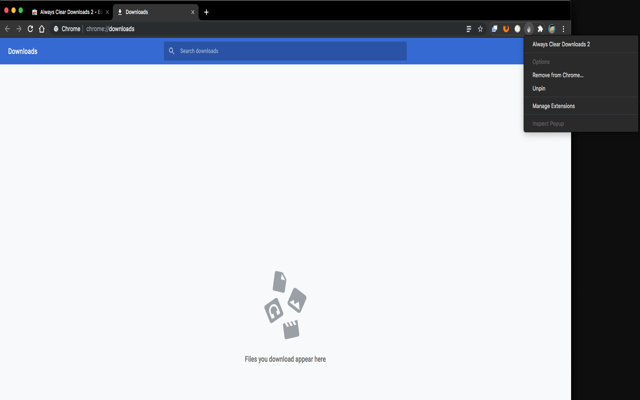
This extension makes up for the fact that Chrome does not have an option to keep its download list clear at all times. You can clear the downloads list yourself by hand, but Chrome currently doesn't have an option to automatically clear it for you. This extension does it for you automatically. This extension works in a very simple way: After a specified amount of time (the default is 5 seconds), the downloads list is cleared out for you. Don't worry, the files you downloaded are still there, and in-progress downloads are not harmed. Version 3: **You can now specify the amount of time before the extension clears the download list. Open the extension options and enter your own value.** The default interval is 5 seconds. If you are updating from version 2, Chrome may ask you to grant the extension more permissions. This is necessary to store your preference. As always, you can inspect the code yourself. The source for this extension can be found at https://github.com/tsuliwaensis/AlwaysClear
Always Clear Downloads 3 is free. There is no paid tier to consider.
Translate selected text or a full page without leaving the tab.

Chrome Remote Desktop extension

Do more in Google Chrome with Adobe Acrobat PDF tools. View, fill, comment, sign, and try convert and compress tools.

Connect to the fastest VPN out there — NordVPN. Hide your IP, block ads, and be safer online with our VPN proxy extension for Chrome

Powering your web experience with a reliable, endpoint protection layer.

Finds and applies coupon codes at checkout.
Yes, Always Clear Downloads 3 is free to install and use.
Browse the directory category for comparable options.
Picked from the same category and the tags always, clear, downloads — jump straight to the alternatives and head-to-head pages people open next.
Side-by-side feature tables, pricing and a clear recommendation.