

Chrome Remote Desktop
ProductivityFree
Chrome Remote Desktop extension
3.12,900 reviews37M+
View Extension
Helps users to automatically clear your browsing data after pre-defined time intervals.
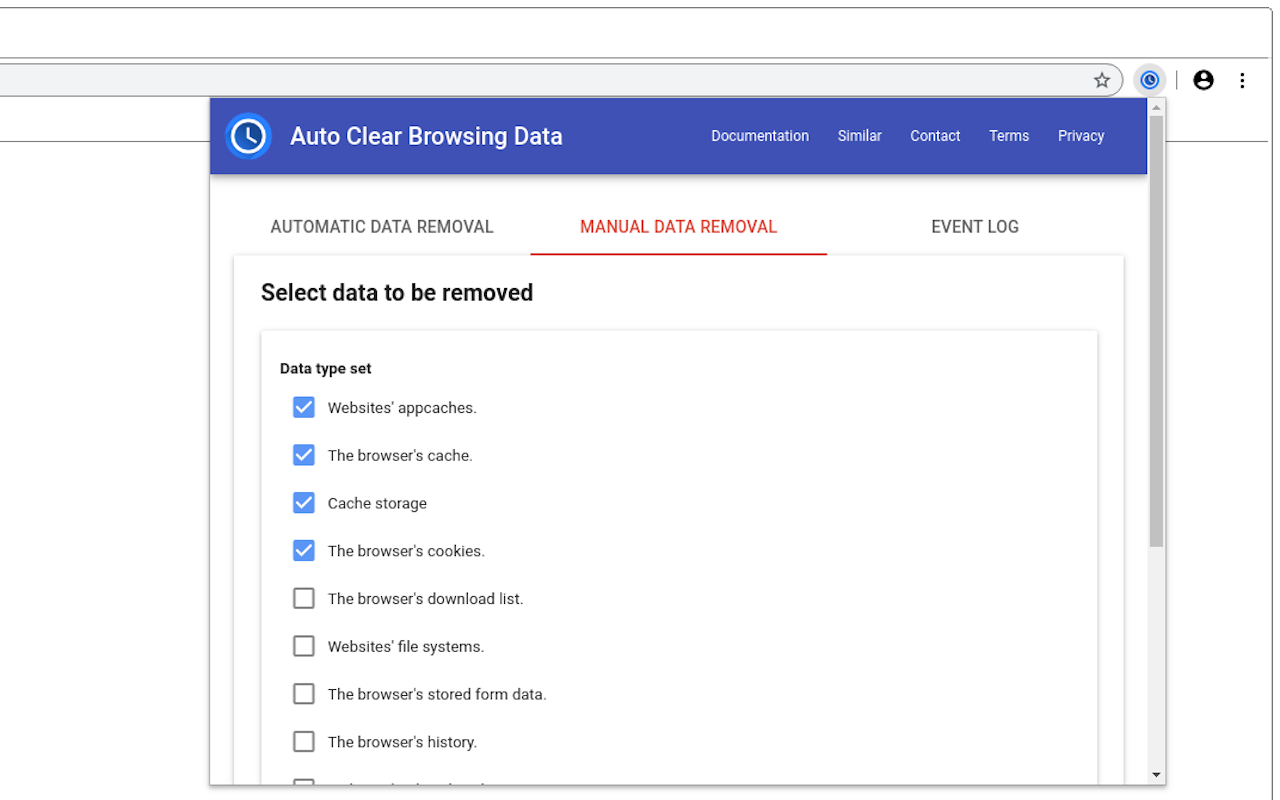
"Auto Clear Browsing Data" extension helps users to remove unnecessary browsing data. Users can either manually remove specific data or they can define automatic tasks that execute after a pre-defined time interval or on browser startup. Users can define independent tasks for removing specific data type set from their web browser. This extension also provides a comprehensive event log to inform users about how tasks are executed. How to use: Please follow simple steps given below to automatically remove specific data type set from your web browser: - Click on add task button. - Enter task identifier. - Select time interval between removal of data. - Select data type set to be removed example: cookies, history, cache etc. - Click on add button. - Click on apply changes and reload button to start executing the task. - See the event log to verify if the task is properly executing. Manual data removal: Please follow these steps to manually remove specific data type set: - Click on manual data removal tab. - Select what data type set to be removed example: cookies, history, cache etc. - Click on remove button. This tool supports following data type set: - Websites' appcaches. - The browser's cache. - Cache storage - The browser's cookies. - The browser's download list. - Websites' file systems. - The browser's stored form data. - The browser's history. - Websites' IndexedDB data. - Websites' local storage data. - Stored passwords. - Service Workers. - Websites' WebSQL data. Privacy notice: This software neither collects nor transmits any personally identifiable information. This software does not track your browsing behavior. Information necessary for functioning of this software is stored on the devices of the end user, our servers do not have access to this information. For more information please read our privacy policy and terms of service.
Auto Clear Browsing Data is free. There is no paid tier to consider.
Chrome Remote Desktop extension

Finds and applies coupon codes at checkout.

Do more in Google Chrome with Adobe Acrobat PDF tools. View, fill, comment, sign, and try convert and compress tools.

Block malware, scams, phishing and trackers for safer, cleaner, and ad-free browsing.

One of the most installed ad blockers for Chrome, with simple whitelisting.

Grammar, spelling and tone suggestions everywhere you write.
Yes, Auto Clear Browsing Data is free to install and use.
Browse the directory category for comparable options.
Picked from the same category and the tags auto, clear, browsing — jump straight to the alternatives and head-to-head pages people open next.
Side-by-side feature tables, pricing and a clear recommendation.