

Stylish - Custom themes for any website
DesignFree
With hundreds of thousands of themes, skins & free backgrounds, you can customize any website with your own color scheme in a click.
4.322,300 reviews2M+
View Extension
The best dark Chrome theme for your web browser. It's simple and coherent.

It's a beautiful dark theme (dark skin) for your Chrome web browser. It's simple and consistent with the Turn Off the Lights Browser extension style. This high-quality theme does not use a shiny black background and frame color, as that reflects everything back at you. Instead, this darkness theme uses 80% black, matching the dark color of the "lights off" layer in the Turn Off the Lights Browser extension. This dark mode theme is very convenient for reducing eye strain during the night. Why Choose This Dark Theme for Google Chrome? + Optimized for night-time browsing comfort + Clean, minimalist design that enhances your Chrome interface + Helps reduce glare and reflections on your screen To learn more, go to: https://www.turnoffthelights.com/browser/ If you’d like to support our work, consider making a donation: https://www.turnoffthelights.com/donate/ Download the darkness theme now for your Google Chrome web browser and enjoy a more comfortable browsing experience—day or night! Do not forget to like & Follow Us: Facebook https://www.facebook.com/turnoffthelight X https://x.com/TurnOfftheLight Pinterest https://www.pinterest.com/turnoffthelight Instagram https://www.instagram.com/turnoffthelights YouTube https://www.youtube.com/@turnoffthelights How to remove/uninstall a Chrome theme in your Chrome web browser: 1. On your computer, open Chrome. 2. At the top right, click the 3-dot menu and then Settings. 3. Under "Appearance", click Reset to default to return to the classic Google Chrome theme again. <<< Option feature >>> Unlock an option feature to protect your eyes at night and focus on the video player, such as YouTube™, by installing Turn Off the Lights browser extension for YouTube and Beyond. https://chromewebstore.google.com/detail/turn-off-the-lights/bfbmjmiodbnnpllbbbfblcplfjjepjdn
Dark Theme for Google Chrome is a design Chrome extension from Stefan vd with roughly 700K users on the Chrome Web Store. It holds a 3.7-star average across 3K ratings, which puts it in the middle of the pack. Pricing is free.
It's a beautiful dark theme (dark skin) for your Chrome web browser. It's simple and consistent with the Turn Off the Lights Browser extension style.
The trade-off is the usual one for a free extension: there is no paid tier to unlock, so anything missing is simply missing. With 700K users, complaints and fixes surface quickly, so check the review notes below before installing it alongside other design extensions.
It's a beautiful dark theme (dark skin) for your Chrome web browser.
It's simple and consistent with the Turn Off the Lights Browser extension style.
This high-quality theme does not use a shiny black background and frame color, as that reflects everything back at you.
Instead, this darkness theme uses 80% black, matching the dark color of the "lights off" layer in the Turn Off the Lights Browser extension.
This dark mode theme is very convenient for reducing eye strain during the night.
Why Choose This Dark Theme for Google Chrome?
anyone who needs design help in Chrome and wants a free option with a large, active user base
Dark Theme for Google Chrome is free. There is no paid tier to consider.
With hundreds of thousands of themes, skins & free backgrounds, you can customize any website with your own color scheme in a click.

A minimalistic dark Chrome theme without distractions.

Find and download all images on a web page with Image downloader.

Play over 50 levels of box-jumping madness! Design and share your own levels.

Virtual Green Screens, Blur, Pixelate, 3D Filters and More!
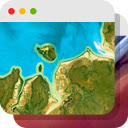
Experience a beautiful image from Google Earth every time you open a new tab.
Yes. Dark Theme for Google Chrome is listed as free on the Chrome Web Store with no paid tier.
Roughly 700K Chrome users have it installed, and it holds a 3.7-star average from 3K ratings.
Dark Theme for Google Chrome is published on the official Chrome Web Store by Stefan vd, so it passes Google's review. Check the permissions it asks for on install and prefer the store listing over third-party mirrors.
The alternatives page lists the closest design extensions ranked by installs and rating, with a head-to-head comparison for the top pick.
Longer reads on the same topic, written by the editorial team.
Picked from the Design category and the tags dark, theme, google — jump straight to the alternatives and head-to-head pages people open next.
Side-by-side feature tables, pricing and a clear recommendation.