
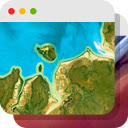
Earth View from Google Earth
DesignFree
Experience a beautiful image from Google Earth every time you open a new tab.
4.25,200 reviews600K+
View Extension
With hundreds of thousands of themes, skins & free backgrounds, you can customize any website with your own color scheme in a click.

Style the web your way – with just one click. Stylish gives you access to over 500,000 free website themes, skins, and backgrounds created by a vibrant community. Stylish makes your internet experience uniquely yours-no coding needed. 🌐 Customize your favorite websites instantly - Browse the largest library of custom website themes for top sites like Roblox, Discord, YouTube, Facebook, Google, and more - Change backgrounds, color schemes, fonts, buttons, and even add animations to any site - Choose from trending aesthetic styles, dark modes, rainbow effects, anime themes, and more - Enable, disable, edit, or delete styles at any time with ease 🎨 Make your own custom themes Want a truly personalized theme?
Stylish - Custom themes for any website is a design Chrome extension from Similarweb LTD with roughly 2M users on the Chrome Web Store. It holds a 4.3-star average across 22K ratings, which puts it among the better-reviewed options in its category. Pricing is free.
Style the web your way – with just one click. Stylish gives you access to over 500,000 free website themes, skins, and backgrounds created by a vibrant community.
The trade-off is the usual one for a free extension: there is no paid tier to unlock, so anything missing is simply missing. With 2M users, complaints and fixes surface quickly, so check the review notes below before installing it alongside other design extensions.
Style the web your way – with just one click.
Stylish gives you access to over 500,000 free website themes, skins, and backgrounds created by a vibrant community.
Stylish makes your internet experience uniquely yours-no coding needed.
🌐 Customize your favorite websites instantly - Browse the largest library of custom website themes for top sites like Roblox, Discord, YouTube,…
anyone who needs design help in Chrome and wants a free option with a large, active user base
Stylish - Custom themes for any website is free. There is no paid tier to consider.
Experience a beautiful image from Google Earth every time you open a new tab.

Change Google Logo

Enhance your Chrome experience with custom cursor. Give your mouse cursor a unique touch by replacing it with a custom cursor.

Virtual Green Screens, Blur, Pixelate, 3D Filters and More!

A minimalistic dark Chrome theme without distractions.

The best dark Chrome theme for your web browser. It's simple and coherent.
Yes. Stylish - Custom themes for any website is listed as free on the Chrome Web Store with no paid tier.
Roughly 2M Chrome users have it installed, and it holds a 4.3-star average from 22K ratings.
Stylish - Custom themes for any website is published on the official Chrome Web Store by Similarweb LTD, so it passes Google's review. Check the permissions it asks for on install and prefer the store listing over third-party mirrors.
The alternatives page lists the closest design extensions ranked by installs and rating, with a head-to-head comparison for the top pick.
Longer reads on the same topic, written by the editorial team.
Picked from the Design category and the tags stylish, custom, themes — jump straight to the alternatives and head-to-head pages people open next.
Side-by-side feature tables, pricing and a clear recommendation.