

Online Security
Privacy & SecurityFreemium
Powering your web experience with a reliable, endpoint protection layer.
3.6594 reviews11M+
View Extension
Filter feeds, lists and comment sections on all websites at the same time with this universal keyword blocker.
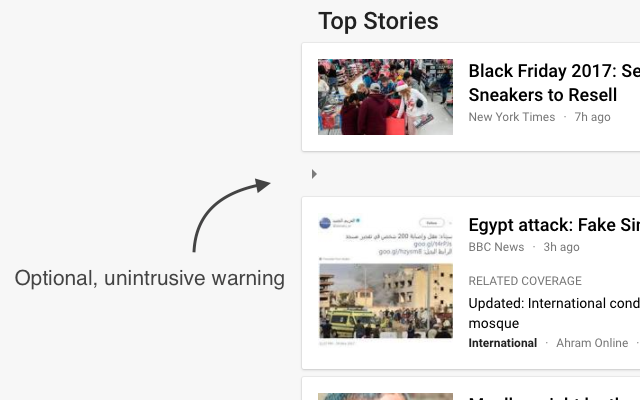
Tired of information overload? Take control of your browsing experience with this powerful Chrome extension! It filters out unwanted content from Facebook, Google News, Reddit, Twitter, YouTube, and more, all in one place. Key features: - One-click access to filter settings. - Block unwanted topics, clickbait, and spam. - Customize settings for each website. To get started, simply install the extension and click the icon next to the address bar to access the control panel. Fine-tune your settings to enjoy a clutter-free, personalized online journey. Embrace a cleaner, more personalized browsing experience – try Filter Anything Everywhere today! --- Feel free to submit issues and pull requests: https://github.com/yeahpython/filter-anything-everywhere --- History: * 1.3.2 - Improved language support, e.g. Cyrillic characters, Chinese, Korean, Japanese - Better support for emojis and special characters - Migration to Manifest V3 - Start using TypeScript/Node/Rollup/Jest/Prettier * 1.3.1 - The code has been cleaned up a bit for upload to GitHub. The latest version of the extension includes the cleanup. * 1.3.0 - Fix for YouTube search results - Support for Chinese characters - Performance improvements * 1.2.4 - Fixes issue where entire YouTube page is hidden. * 1.2.3 - Wildcard matching is now supported. "*" matches any number of non-whitespace characters, and "?" matches exactly one non-whitespace character. Examples: - - "col*r" matches "color" and "colour". - - "gr?y" matches both "gray" and "grey", but not "gravy" since "?" can only match one character. - - "*?coin" matches "bitcoin" and "dogecoin" but not "coin", since "?" requires at least one character.
Filter Anything Everywhere is free. There is no paid tier to consider.
Powering your web experience with a reliable, endpoint protection layer.

Finds and applies coupon codes at checkout.

The world's most trusted crypto wallet

Do more in Google Chrome with Adobe Acrobat PDF tools. View, fill, comment, sign, and try convert and compress tools.

One of the most installed ad blockers for Chrome, with simple whitelisting.

Translate selected text or a full page without leaving the tab.
Yes, Filter Anything Everywhere is free to install and use.
Browse the directory category for comparable options.
Picked from the same category and the tags filter, anything, everywhere — jump straight to the alternatives and head-to-head pages people open next.
Side-by-side feature tables, pricing and a clear recommendation.