

Grammarly
WritingFreemium
Grammar, spelling and tone suggestions everywhere you write.
4.543,100 reviews37M+
View Extension
Display JSON objects by transforming them into Syntax editable highlighted HTML to validate, format, and save
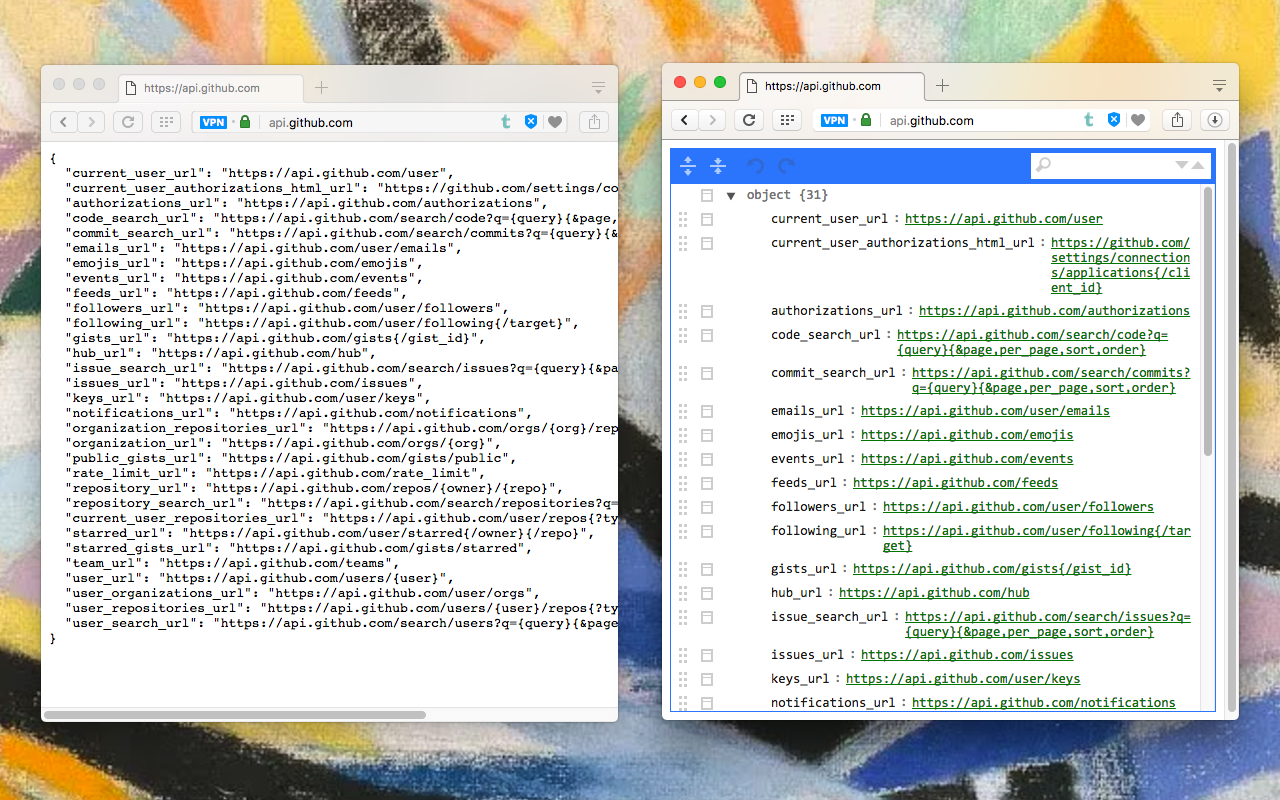
This extension monitors JSON pages and converts them into a human-readable object. You can view, edit, search through values and keys. You can even change the format of a key or drag it into a new place. There is no need to do anything after installation. Just open a JSON page and the extension automatically converts the page into the editor mode. As of version 0.2.0, the extension uses a dark theme if your browser's default theme is dark. Supported mime types: ► application/json ► application/x-javascript ► application/hal+json ► application/vnd.error+json ► application/vnd.api+json ► text/javascript ► text/x-javascript ► text/x-json ► text/plain FEATURES ► Supports both JSON & JSONP formats ► Has light and dark syntax highlighting themes ► Supports collapsible trees ► Converts text links into clickable URLs ► Supports raw, code, and parsed JSON views ► Keeps expanded structure when refreshing the JSON page ► Copy Object Path ► Copy Outer JSON ► Copy Inner JSON ► Open a new editor to write a new JSON object ► Open a new editor from selection text (right-click context menu) ► Supports large numbers (BigInt, BigFloat, ...) -- Change Logs: 0.1.3: 1. It is now possible to beautify local (file://) JSON files. 2. Extension now uses "persistent = false" background page (event page) to have no performance effect when it is not used. 0.1.6: 1. It is now possible to change the view mode to "Tree", "Code", and "Text" modes. The coding mode is useful to edit the raw JSON, and the text mode is useful to copy the raw data. The default view is the tree view which displays the JSON in a formatted and highlighted format.
JSON Beautifier and Editor is free. There is no paid tier to consider.
Grammar, spelling and tone suggestions everywhere you write.

Tampermonkey lets you install and run userscripts to customize websites, automate repetitive tasks and enhance functionality.

Efficient, open-source content and ad blocker.

Chrome Remote Desktop extension

Finds and applies coupon codes at checkout.

VeePN is a VPN extension that unblocks websites and secures your connection with encrypted tunneling and unlimited bandwidth.
Yes, JSON Beautifier and Editor is free to install and use.
Browse the directory category for comparable options.
Picked from the same category and the tags json, beautifier, editor — jump straight to the alternatives and head-to-head pages people open next.
Side-by-side feature tables, pricing and a clear recommendation.