

Custom Cursors for Chrome
DesignFree
Enhance your Chrome experience with custom cursor. Give your mouse cursor a unique touch by replacing it with a custom cursor.
4.45,000 reviews800K+
View Extension
Night Shift automatically shifts the colors of your browser content to the warmer end of the color spectrum after dark.

Night Shift automatically shifts the colors of your browser content to the warmer end of the color spectrum after dark. ⚡ You need to refresh all the tabs, which were opened BEFORE the Night Shift was installed. You can also restart Chrome to refresh all the tabs at once. Otherwise, Night Shift will work only with the newly opened tabs. ⚡In accordance with the Chrome Browser policies, Night Shift is restricted to work on the Chrome Web Store and Home Page. Please open any other website (for example, YouTube) after installing this extension and check the extension in action. Night Shift provides itself on a scheduled basis, you can choose from 3 options: 1. Sunset to Sunrise (Chrome colors will be shaded every day automatically on Sunset). 2. Off (manually enable the Night Shift to shade the screen) 3. Custom (set up your own schedule to start up and finish display color adjustments) Take care of your eyes. Change screen brightness to special eye-protective colors from the list or to a color that you prefer. Night shift changes the colors of the screen to warm and eye-protective shades. You can set automatically change screen mode by schedule or select a color theme for a certain website. Working on a computer a night time may take affect your eyes. Night Shift Mode is a good opportunity to reduce screen brightening to take care of your eyes. Dark Mode isn't suitable for all websites, so applying warm colors to all websites will be the best alternative for screen tinting. Screen Shader Mode is a pleasure for your eyes!
Night Shift is free. There is no paid tier to consider.
Enhance your Chrome experience with custom cursor. Give your mouse cursor a unique touch by replacing it with a custom cursor.

A minimalistic dark Chrome theme without distractions.

The best dark Chrome theme for your web browser. It's simple and coherent.

Play over 50 levels of box-jumping madness! Design and share your own levels.

Virtual Green Screens, Blur, Pixelate, 3D Filters and More!
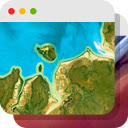
Experience a beautiful image from Google Earth every time you open a new tab.
Yes, Night Shift is free to install and use.
Browse the Design category for comparable options.
Longer reads on the same topic, written by the editorial team.
Picked from the Design category and the tags night, shift — jump straight to the alternatives and head-to-head pages people open next.
Side-by-side feature tables, pricing and a clear recommendation.