

Volume Master
ProductivityFree
The simplest and most reliable volume booster 🚀 Features ⭐️ Up to 600 % volume boost ⭐️ Control volume of any tab ⭐️ Voice boost -.
4.848,800 reviews7M+
View Extension
Draw or highlight on any website in real time. Add text, lines, and shapes. Move, undo, or redo anything you draw.
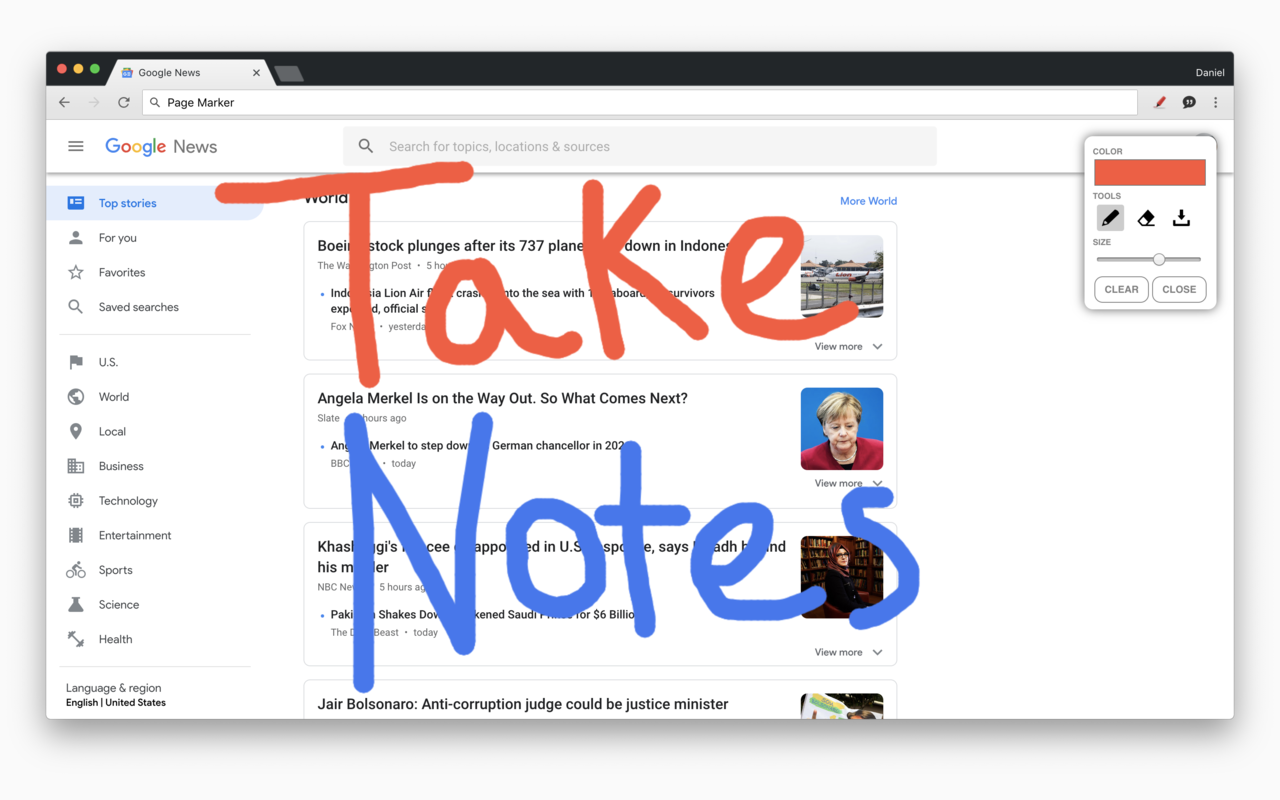
Draw on any website, add text, add lines, and highlight! With Page Marker, you can use your mouse or touchscreen to draw on the web or on PDFs and save it to your computer. Paint, draw, and mark on any webpage or website. Instructions: 1. Click the puzzle piece-shaped extensions icon in the top right corner of your browser. Pin the Page Marker red marker icon for ease of access. 2. Begin drawing on any webpage with your mouse or touchscreen. 3. To change the color of the marker, click on the color selecting box. 4. To change thickness, use the size slider. 5. Use the highlighter tool to highlight lines of text. 6. Use the eraser tool to erase parts of your drawing. 7. Use the text tool to add text to the website. 8. Use the line tool to draw straight lines. 9. To undo or redo, click the corresponding undo/redo buttons. 10. Change the default color or thickness in the options menu when you right click the Page Marker icon. Shortcuts: Marker - "Shift" + "D" Highlighter - "Shift" + "H" Eraser - "Shift" + "E" Pointer - "Shift" + "P" Text - "Shift" + "T" Move - "Shift" + "M" Undo - "Shift" + "U" Redo - "Shift" + "R" Clear - "Shift" + "X" Exit - "ESC"
Page Marker - Draw on Web is free. There is no paid tier to consider.
The simplest and most reliable volume booster 🚀 Features ⭐️ Up to 600 % volume boost ⭐️ Control volume of any tab ⭐️ Voice boost -.

Do more in Google Chrome with Adobe Acrobat PDF tools. View, fill, comment, sign, and try convert and compress tools.

Schedule Zoom meetings directly from Google Calendar

Remove ads on YouTube and everywhere else you browse.

Avira Password Manager saves, manages, and syncs all your passwords across all your devices.

LastPass is an award-winning password manager for secure credential management on any device.
Yes, Page Marker - Draw on Web is free to use.
Page Marker - Draw on Web is published by pagemarker.org. As with any extension, review the permissions it requests before installing and remove it if you stop using it.
Browse the Productivity category for comparable options.
Picked from the Productivity category and the tags page, marker, draw — jump straight to the alternatives and head-to-head pages people open next.
Side-by-side feature tables, pricing and a clear recommendation.