

Speed Dial 2 New tab
Tab ManagementFree
Speed Dial 2 is an easy-to-use extension that lets you save and organize your most visited websites and customize your new tab page.
4.17,700 reviews300K+
View Extension
Allow you manage and save your chrome tabs.
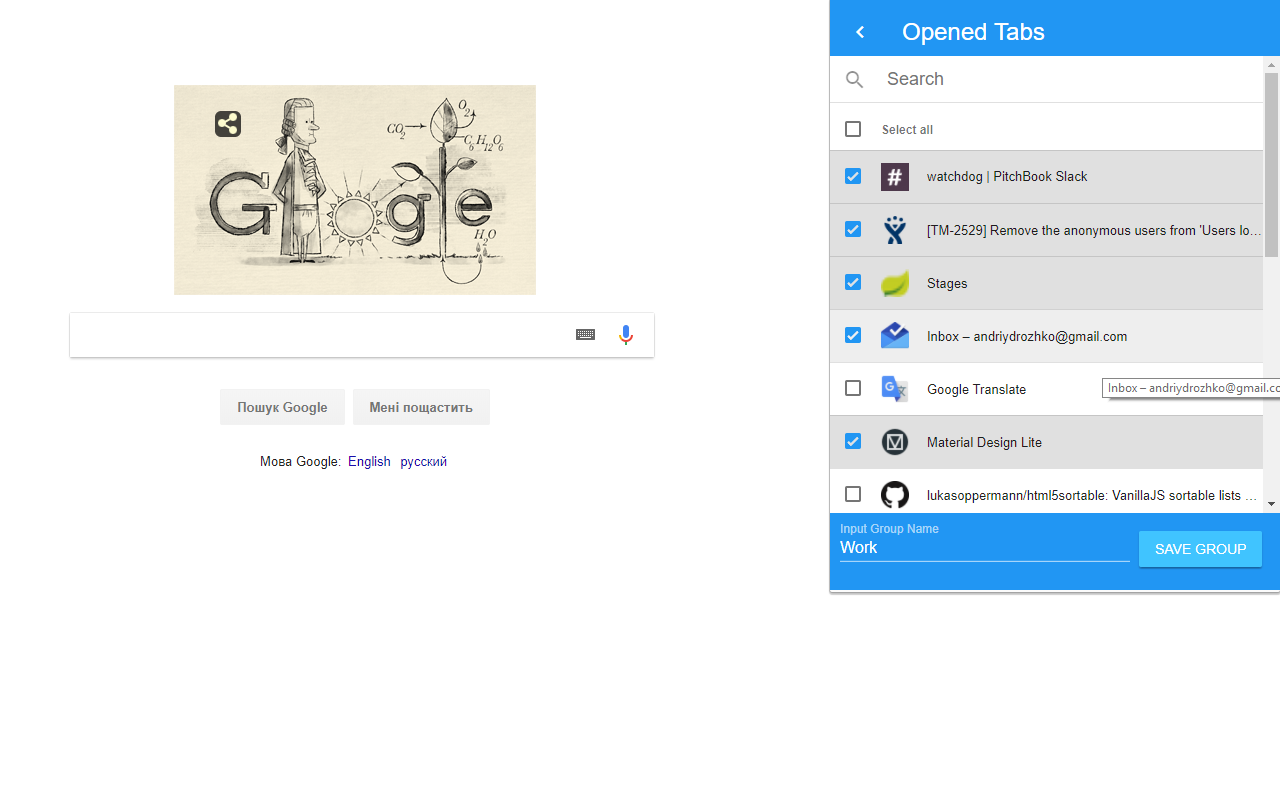
An extension which allows you to select opened links in chrome browser and save them into groups. You can create multiple groups to save most important links for work, hobbies, and any other links that you open every day To create a group you simply click on big red plus icon, select links you need, give your group a name and save it! What's new: v.1.3.2 1. Optimize extension loading v.1.3 1. Added rename saved group functionality 2. Ability to change links order inside the saved group 3. Export/Import of saved groups into JSON 4. Opened tabs now grouped by window 5. Added setting page (top right corner) 5.1 Ability to ignore pinned tabs 5.2 Ability to close tabs when click save a group 6. Now you can save the page by clicking the right mouse (you can see TabGroup context menu) and select group for saving 7. Size of icons and fonts was reduced v.1.2.1 1. Expand/Collapse now work when clicking on group panel, not just on icon 2. Add new button "Open in this window" 3. Fix "Select all" button 4. Fix search not clean when changing tabs 5. Hotfixes v.1.2: 1. Now you can add and remove links from the already created group. 2. You can reorder your groups by dragging them. 3. Tabs are opened in current window by default. 4. Tabs can be opened in a new window by pressing window icon on the right of each group. 5. Great design improvements!
Tab Group is free. There is no paid tier to consider.
Speed Dial 2 is an easy-to-use extension that lets you save and organize your most visited websites and customize your new tab page.

Visual bookmark manager that replaces messy tab hoarding.

Infinity New Tab allows you to customize your New Tab page

A new friend in every tab.

Increase browser speed and reduce memory load when you have numerous open tabs.

Project-based tab manager with automatic tab saving.
Yes, Tab Group is free to install and use.
Browse the Tab Management category for comparable options.
Picked from the Tab Management category and the tags tab, group — jump straight to the alternatives and head-to-head pages people open next.
Side-by-side feature tables, pricing and a clear recommendation.